Putting a Coding Agent Inside a Live marimo Notebook, a Visual Guide
TL;DR: Coding agents are great when the files on disk are the whole story. Data work isn't like that: what matters is the data frame sitting in memory and the plot you just made. marimo pair is an agent skill that puts Claude Code, Codex or any other agent inside a running marimo notebook, with one tool, run Python in the kernel, so it can see the same live state you do and build the notebook cell by cell.
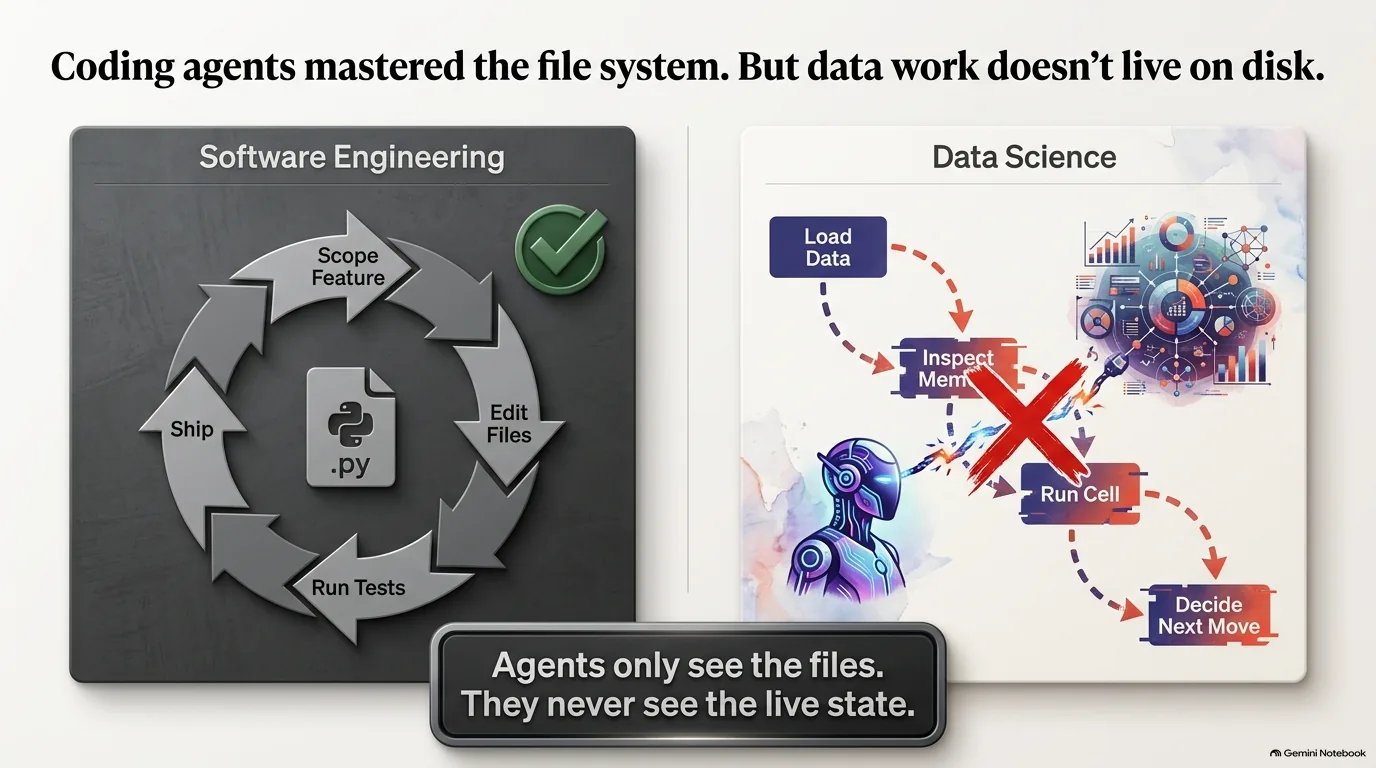
Coding agents have gotten really good at one kind of work. You scope a feature, edit some files, run the tests and ship it, and all of it happens on disk. Data work feels different. You load something, look at it, run a cell, watch what happens, and pick your next move based on whatever is sitting in memory. Until recently, an agent couldn't see any of that. It saw the files and never the live state.
marimo pair is built to close that gap. Trevor Manz, a founding engineer at marimo, came back to Talk Python a year after his episode on AnyWidget to explain how it works. marimo is a reactive Python notebook, and marimo pair is a skill that drops your agent of choice into an active marimo kernel. Once it's in there, the agent can list variables, look at a data frame's real columns, create and run cells, and find out right away whether any of it worked. The notebook turns into a shared canvas. You point, and the agent runs the code.
This guide starts with why notebooks have been awkward for agents, from the workflow mismatch to the trouble with .ipynb files. Then it covers what marimo pair is, why marimo's reactive model matters, the single "run Python" tool behind it, and what live inspection does for tokens and results. After that: the decision to work with the agents people already use, how the skill dodges version drift, installation (with a short detour into how deno ended up on PyPI), pairing on real data, remote kernels on molab, the roadmap, and why you always end up with a reproducible notebook.
Why AI coding agents struggle with data science work
Software development with agents has changed a lot over the past year, and the marimo team saw it up close. They were using agents for more and more of their own work on marimo. Then their users started asking the obvious follow-up: what's the best way to use marimo with agents?
For a while, the answer was that it felt awkward, and not only in marimo. Trevor Manz says that if you pointed an out-of-the-box coding agent at a notebook, whether marimo, Jupyter, JupyterLab or Google Colab, the experience was unsettling compared with regular software work.
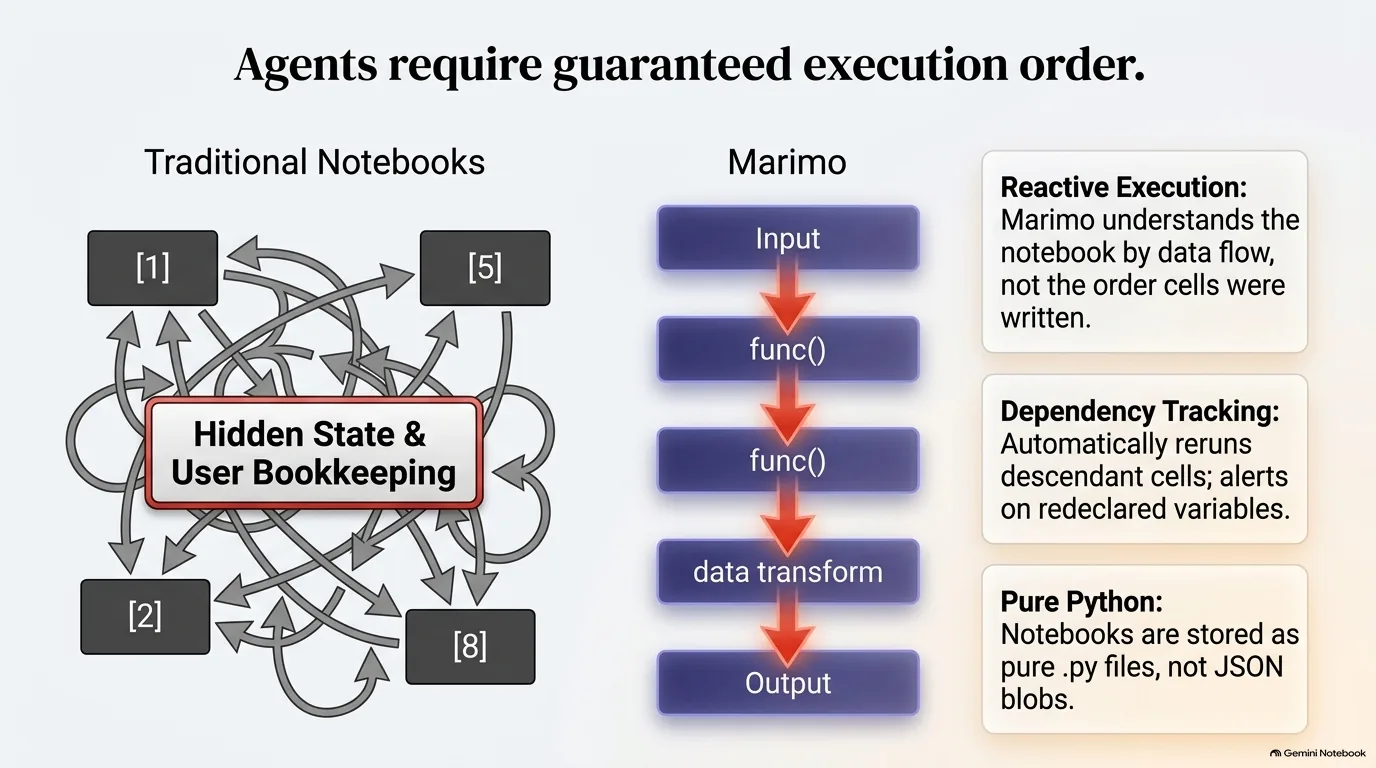
Why the difference? Think about where agents shine. In traditional development the file system is the source of truth. The agent edits files, then runs stateless commands like the test suite to see what those edits did. If something breaks, it reads the error and tries again. You can hand it a long-lived task and come back later, because it can loop and correct itself without you.
Data work doesn't fit that loop. When an agent edits a notebook file directly, the notebook can end up in an inconsistent state. And often the agent can't see the results of what it just did. It changed a cell but has no view of the output, so it never gets into the tight, self-correcting loops that make it so useful for code.
The image above shows the split. On one side there's a loop around a .py file. On the other: load the data, look at it, run a cell, decide what's next. That second loop runs through memory, which is exactly the part the agent couldn't reach.
So the marimo team started thinking about it from the bottom up. They stopped asking how to let an agent read notebooks and asked how to open marimo up so it's actually useful to an agent, rather than a data source the agent can query.
“But when you tried to apply it to a data problem, things would happen where you edit the file and then you could get to some inconsistent state inside the notebook, or the agent couldn't actually see the actions that it performed inside that notebook.”
Trevor Manz
Why Jupyter .ipynb files are hard for AI agents to read
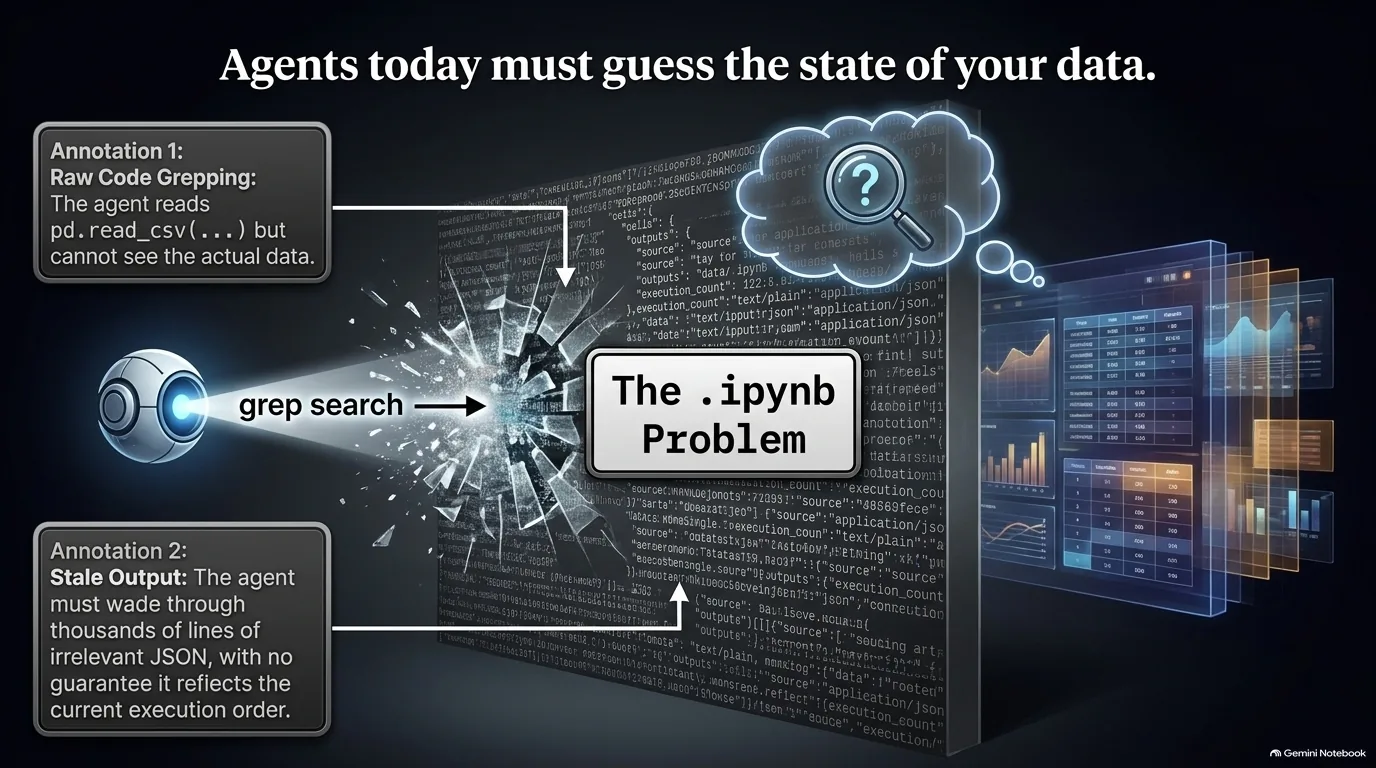
What does an agent actually see when you point it at a Jupyter notebook? Michael Kennedy walked through it. An .ipynb file holds each cell's definition, the code or Markdown, plus all of the output. If a cell printed a thousand rows, those thousand rows live in the JSON that defines the notebook.
So Claude Code or Codex, trying to make sense of the notebook, has to skim through all that output and decide what matters. Most of it doesn't. Some of it does. Then there's the nastier problem: nothing enforces the order the cells ran in. If they ran out of order, the output saved in the file can be stale compared with the code sitting next to it. The agent might use it anyway, and it would be wrong. Michael summed it up this way: hey, Claude, work on this, and by the way, here are 10,000 lines of stuff that may help you or harm you, depending on things you can't really determine.
Working on this, Trevor Manz says, the marimo team came to see the file differently. The file is what the work leaves behind, more than where the code comes from. The real authoring happens in the editor together with the live state, in an interactive environment. An agent that edits the file on disk with its usual tools misses all of the context the file was written in.
It also has the reverse problem. Along with missing the live state, it gets flooded with context that does nothing for the coding task you asked about. Both problems point the same way: the file is the wrong thing to hand an agent.
“For notebooks, these file formats are more the artifact of the work rather than the source necessarily of the code.”
Trevor Manz
Files on disk vs. values in memory: giving agents a REPL
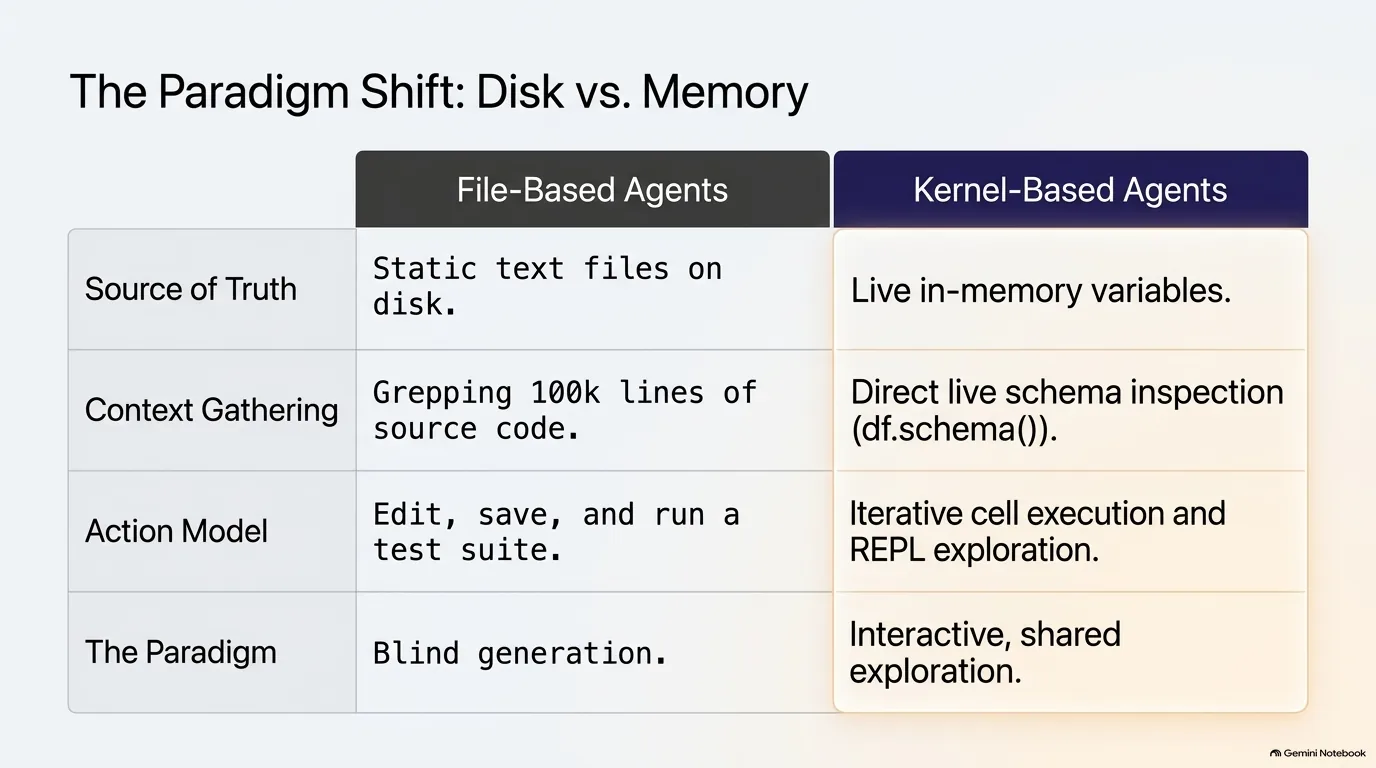
Out of the box, a coding agent can read files, write files and run bash scripts. That toolkit fits traditional software development well, because our command line tools work the same way. The files are the source of truth. You change them, then run stateless commands to see what the change did.
People who work with data moved past that model a long time ago. As Trevor Manz points out, for data we reach for interactive REPLs and live programming environments. Why? They let you iterate on intermediate results. With a script, you hit an error and run the whole thing again from scratch. In a REPL, you load a data set into memory once, then inspect the values and keep working on them right there. That's the appeal of Excel, Jupyter, marimo and even RStudio: they're stateful.
And people adopt these tools for the values more than for the code. Knowing there's a data frame on disk isn't enough. You want to look at the table and see what's in it, because that decides what you do next, like which plot to make or which validation to run.
Agents weren't good at reaching into stateful environments, and that's what made opening them up so hard. Trevor says the marimo team tried several approaches before landing on ergonomics that work for agents. Michael Kennedy put the conclusion plainly: instead of working on the file system the way coding agents do for regular code, the agent needs to work in the kernel and look at the state of things as it goes.
Getting there meant turning the usual thinking around. Instead of asking how an agent could query a notebook, the team asked how to give the agent a useful tool, a notebook, for data work and for iterating on intermediate values. Humans adopted notebooks for exactly that reason, and the idea was to give agents the same thing.
“So it's not just that I have this data frame on disk or this file on disk that has my data, it's that I want to look at the table and I want to see what those values are.”
Trevor Manz
What is marimo pair?
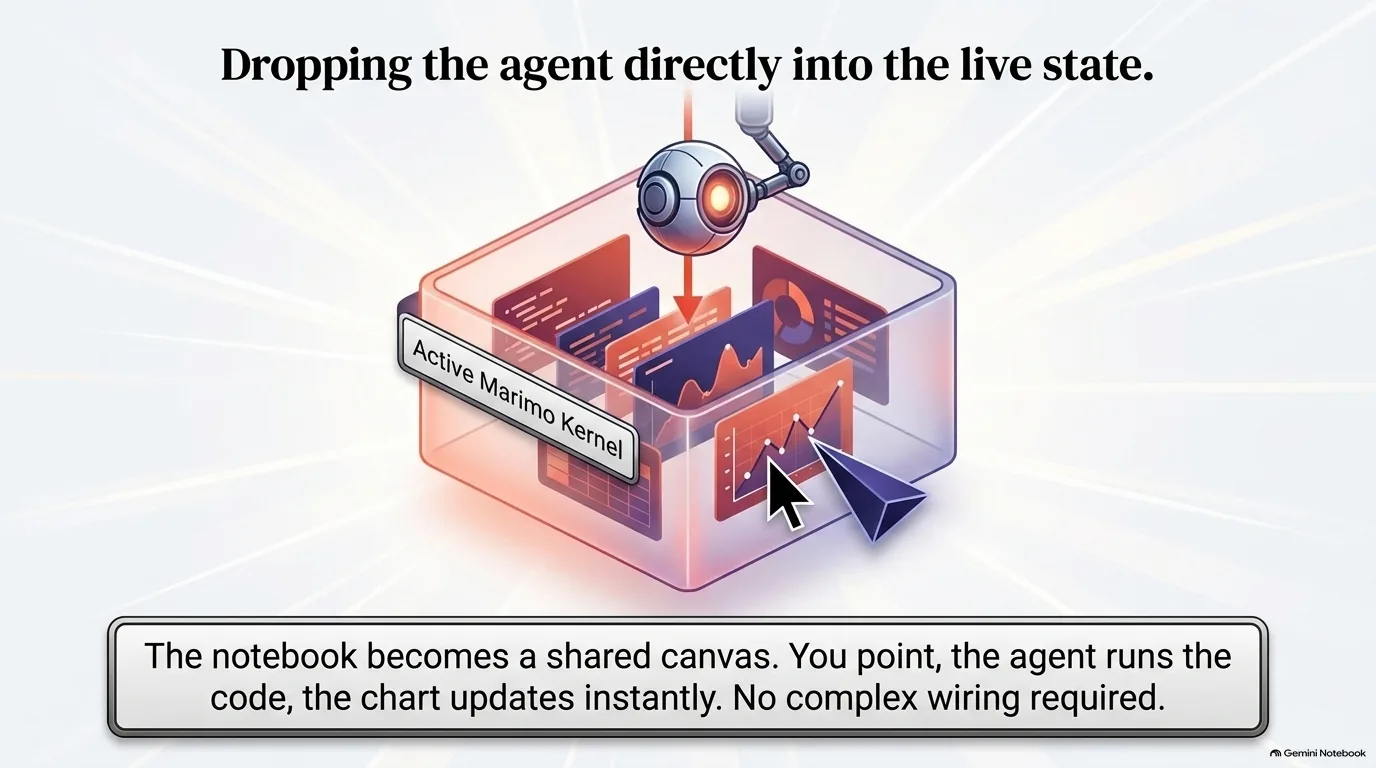
marimo pair is an agent skill. It puts a coding agent inside an active marimo kernel, the running Python process behind a notebook, and gives it exactly one tool: run Python in that kernel.
That one tool covers a lot of ground. Inside the kernel, the agent can list the notebook's variables, inspect the cells and look at their outputs. It can also do what you'd do as the user - install packages, create cells, edit them, run them. As Trevor Manz puts it, the agent can do anything you could do in a marimo notebook.
Do you have to change your code or import something to make this work? No. The setup is the skill, installed into your agent. (The installation section has the commands.) The skill teaches the agent how to use that single tool, and the tool talks to the notebook you already have running.
The big difference from an agent editing files is feedback. Every time the agent runs something through the tool, the kernel tells it right away what went right or wrong. That puts it back in the loop it's good at, try something, look at the result, correct it, except now marimo is the workspace for the data task instead of the file system.
Michael Kennedy's opening for the episode describes how that feels. The notebook becomes a shared canvas where you point and it runs the code. Tell it to zoom in on a graphic, and the chart just updates. You don't wire up MCP tools or describe a schema. It's Python, and an agent that can finally see what you see.
The rest of the design follows from choosing a single Python tool, starting with the semi-private API the agent drives once it's inside. That's covered in code mode.
“Marimo pair is an agent skill that drops an agent inside of an active Marimo kernel.”
Trevor Manz
Code mode: one run-Python tool instead of many MCP tools
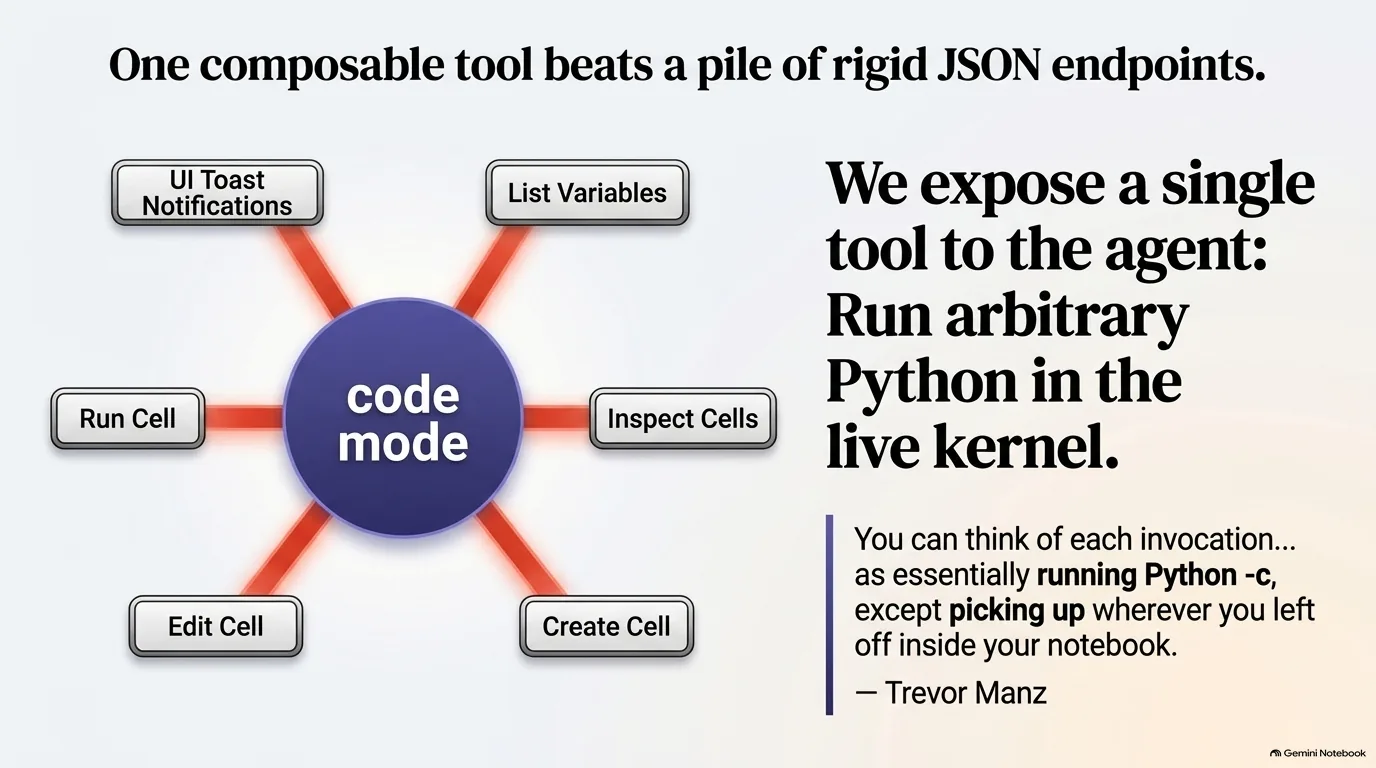
If the agent's only tool is "run Python," how does it actually talk to marimo? Through an API tucked inside marimo called code mode. Trevor Manz describes it as a semi-private API meant only for agents running Python inside the kernel. With it, the agent can grab the current notebook state and talk to marimo directly.
Here's what that API lets an agent do:
- Announce itself. It can pop a toast notification in the marimo UI saying it's connected to your notebook session.
- Look around. It can list the variables, inspect the cells and see which cells declare which variables.
- Change the notebook. Mutation APIs let it create a cell, edit a cell and run a cell.
Because all of this is Python rather than a set of separate tools like MCP, the agent can combine the primitives however it likes. Need five new cells? It can call create cell five times in a loop, inside one tool call. Trevor puts that down to giving the agent Python as the tool rather than a JSON API.
There's a second advantage, and it connects to how agents already behave. Michael Kennedy has noticed Claude Code trying to understand something by writing a little Python script and running it with python -c, rebuilding all the setup when it could just ask for the value of x. Trevor's comparison: each call to the marimo pair tool is like running python -c, "except picking up wherever you left off inside of your notebook."
That makes a quick check cheap. The code the agent sends can refer to variables already in memory, so it doesn't have to reload an expensive data set or replay a chain of transformations at the top of its script just to print something. It starts from wherever your session is and runs its queries against the data frame you already have loaded.
“And because it's all Python and not individual something like MCP tools, the agent has the ability to write Python code that really does complex composition of those primitives as well.”
Trevor Manz
How live runtime inspection changes what an agent can do (and what it costs in tokens)
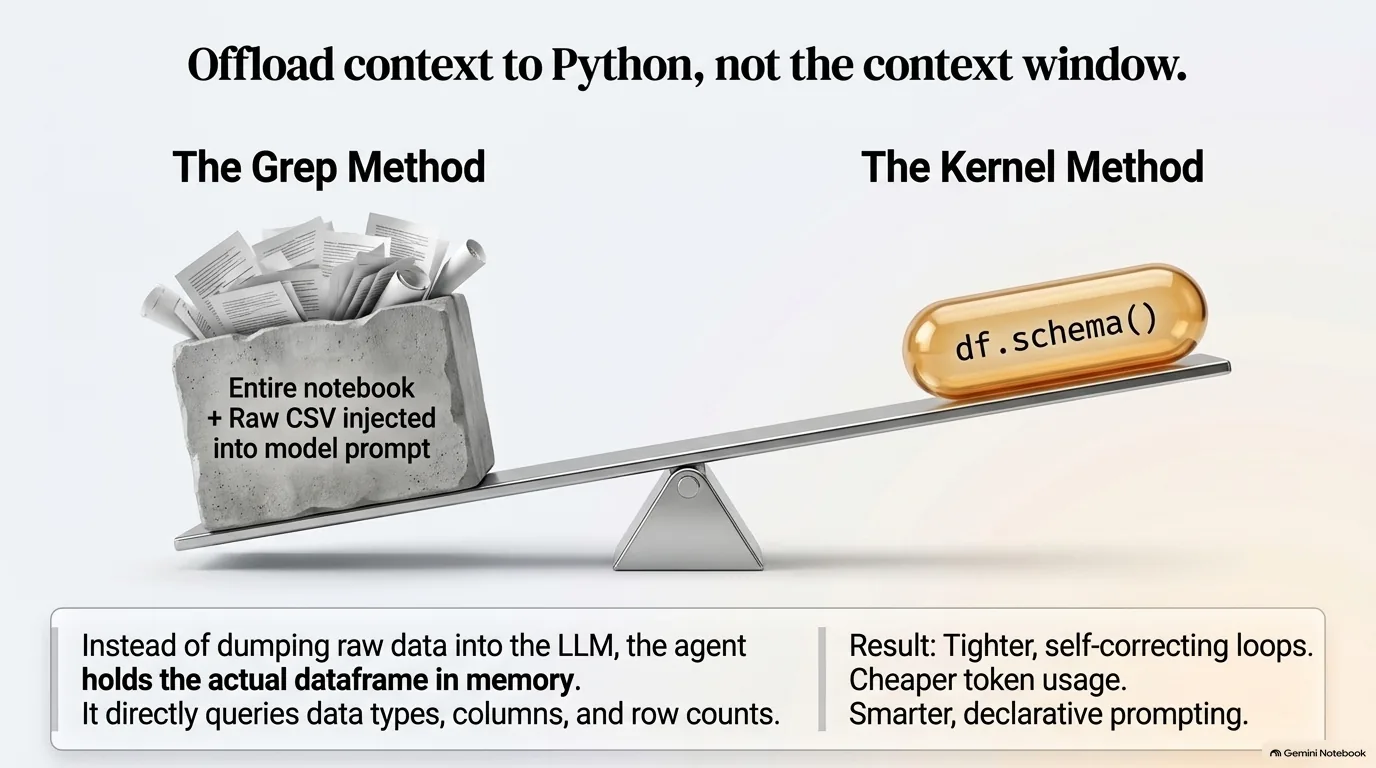
Michael Kennedy has a gripe with today's coding agents. It boggles his mind how much Claude Code relies on grep to understand a project, and it seems super inefficient to him. What if it could just ask where a symbol is used, what a variable holds or what type it is, instead of jumping around 100,000 or a million lines of code? That, he suggested, sounds a bit like how marimo pair lets an agent work with a notebook.
Trevor Manz says this kind of runtime inspection really does change how the model behaves. His example: in a source file, loading a data frame is one line, a Polars or pandas read_csv call. To learn what's in that data, an agent reading the code would also have to go open the CSV and put the two together. In a live marimo session, the agent has the data frame itself, a much richer thing than a static file on disk. It can ask about the schema, the columns, each column's data type and the number of rows.
That makes your prompts simpler. Ask for the quantitative axes of a data set in a pair plot, and you don't have to say which columns those are. The agent can look up the schema and work it out. You get to be more declarative about what you want to see, without first digging up the plotting API yourself. And since the agent can course correct against real values, it settles into the tight loops that get to a working result.
What about tokens? Michael asked that directly. The skill is a slim Markdown file that only teaches the agent what the tool is and how to use it. Before, an agent might read the entire notebook file just to get its bearings. Now, if you say you're working on one cell, it can focus on that cell or that one variable without printing every other cell into its context.
So is it measurably cheaper? Not formally. Trevor was clear that the team hasn't done anything formal to compare the two approaches, and Michael's first estimate is that it would be way more efficient. Trevor frames it this way: when the environment holds the variables and values, the agent can offload context into Python instead of carrying it around.
“You give the agent the ability to offload context into Python rather than bringing that as extra context that fills up your context buffer.”
Trevor Manz
Why marimo works with Claude Code, Codex and OpenCode instead of competing
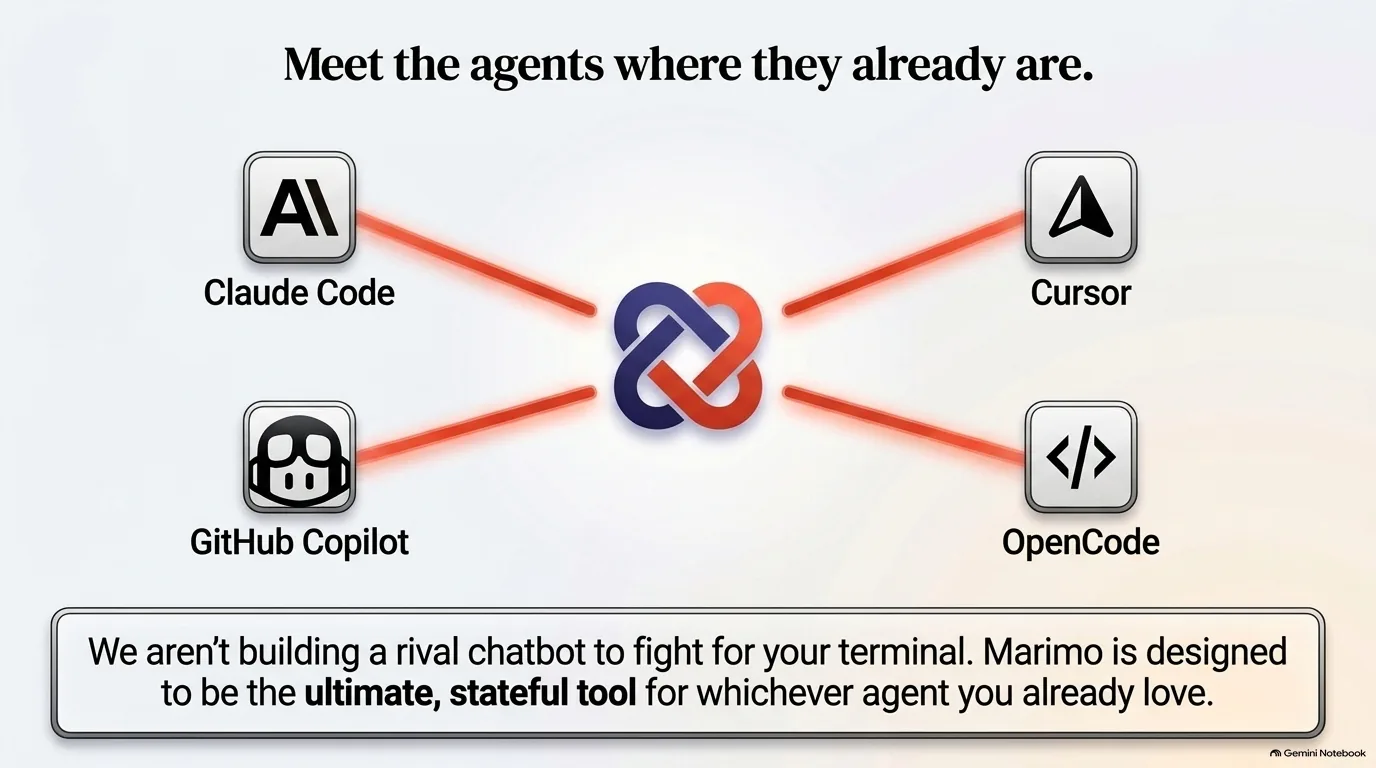
Some notebook tools have answered the AI question by building an LLM chat right into the notebook. marimo has one too, and still does today. You can bring your own LLM, drive an agent from marimo's chat panel and even use the marimo pair tools from inside it. So why ship the main experience as a skill for outside agents?
Because users kept asking for it. How do I use Claude Code with marimo? How about Codex? Trevor Manz says the team realized those agents have access to things that will never be inside the marimo UI: the skills, the MCP servers and everything else a developer has set up for their main driver. The marimo team felt this themselves. Many of them use Claude Code to develop marimo, and working on a notebook meant jumping between tools.
Then there's the churn. Michael Kennedy described the billing mess. Use the official Claude Code extension and your subscription works. Use Cursor's built-in panel and you're spending Cursor credits. PyCharm has its own split between JetBrains AI credits and the terminal. Trevor agreed there's a lot of fragmentation, and he expects the drift between tools to continue. If marimo had built around Claude Max a year ago, he says, that would have been a lot of wasted effort.
Michael brought along a chart from The Pragmatic Engineer's AI tooling for software engineers in 2026. Claude Code leads. Quite a ways back come Copilot, then Cursor, then Codex. A year earlier, Claude Code was way behind. His take: telling developers to put away the agent that's working for them and use your version instead isn't a road to success.
OpenCode is in the mix too. It feels a lot like Claude Code in the terminal, but you can configure many different models and API endpoints, which is why some marimo users pick it for the open models.
So marimo's bet is to expose its environment rather than own the interface. Trevor's reasoning starts with what an agent is (see the quote below). Without marimo as a tool, a data question goes to the tools the agent already has, reading and writing files and running bash, and you might end up with a folder full of scripts and maybe a result. With marimo, you get a reproducible marimo notebook, whichever agent you drove it from.
“An agent is by definition is like a model, the tools that you equip that model with and then its environment or the loop that it runs in to perform that task. And so its effectiveness is going to be limited by whatever tools you give that agent.”
Trevor Manz
How the marimo pair skill avoids version drift
Shipping a feature as a Markdown file can sound underwhelming. Michael Kennedy wouldn't write it off. He points to what's now known as the SaaSpocalypse, when Claude shipped 13 Markdown files and $285 billion came off the stock market. There's something to these Markdown files.
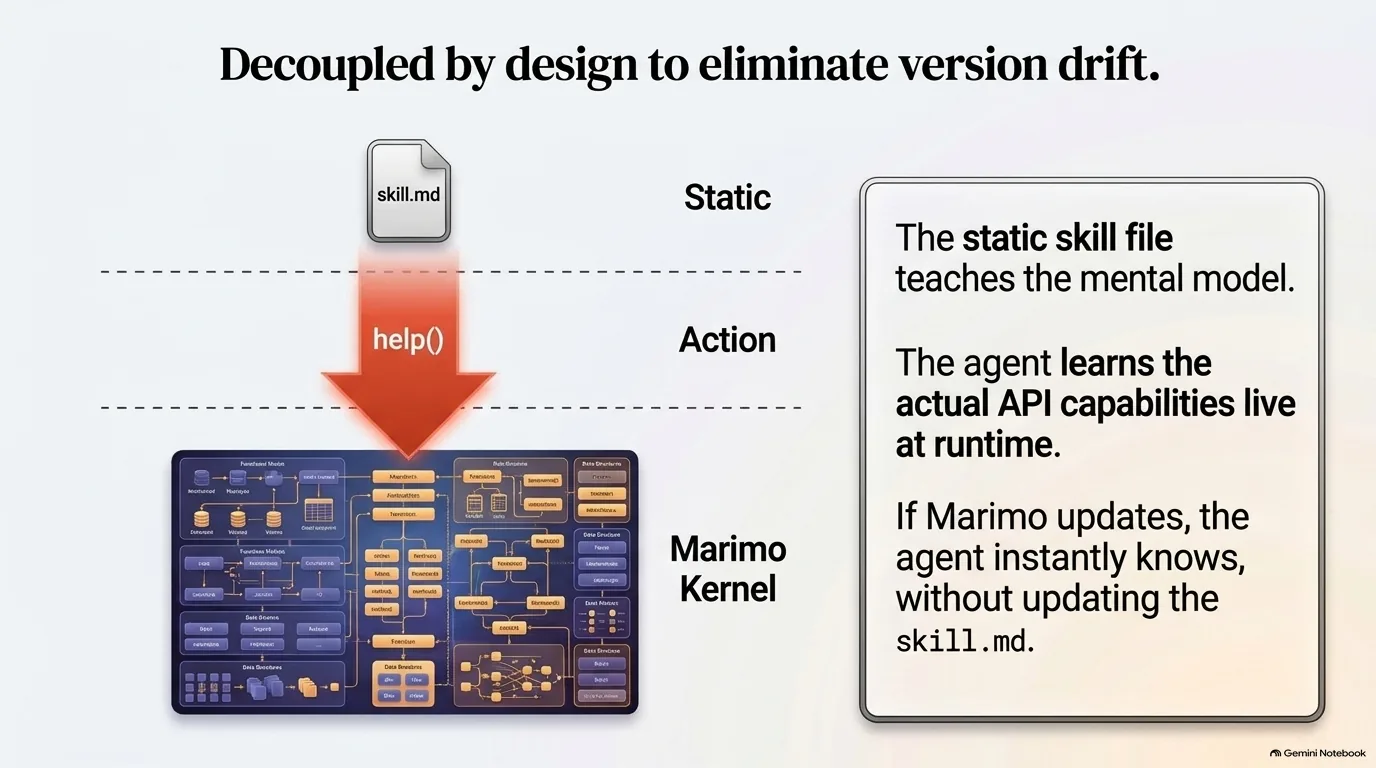
So what's in this one? Less than you might expect. An agent skill is a folder with a skill.md file in it, and the marimo pair skill mostly teaches the agent where its tool lives and the mental model for driving marimo. It doesn't describe marimo's internals or document the API the agent will use. When the agent wants to know what it can actually do in the active kernel, the skill tells it to run a help command, which prints the tool's own docstrings. The agent learns the real API from the running marimo, in that session.
Why bother? Because of a problem the marimo team noticed early: the marimo version and the skill version could drift apart. If the skill spelled out the API, someone who upgraded marimo but not the skill would get a poor experience with their agent. Michael's reaction was that this way you don't have to get people to update the skill, which is always tricky. As he pointed out, skills keep changing shape anyway. They used to be commands, and the layout is still a little funky.
Trevor Manz describes the goal as a baseline. Whatever versions you have, the agent can still drive marimo, and upgrading either one should only make things better. Upgrading is getting easier, too. In Claude Code and Codex, a marketplace.json file lets you subscribe to auto-updates of a skill, and command line installers that pull from GitHub fetch the latest. Without the decoupling, Trevor notes, it would be hard to even figure out which version a user had.
How did the team land on a skill in the first place? A bare-bones MCP server was one option. But around fall and December of last year, as the models got quite good, skills became a very useful way to package reusable instructions for a particular tool, and that's when Trevor says they started looking at them.
“We just wanted to make sure that our users didn't get into the state where they're having a really poor experience using their agents because they upgraded Marimo and they hadn't upgraded their skill.”
Trevor Manz
How to install marimo pair: npx, uvx and the Claude Code plugin
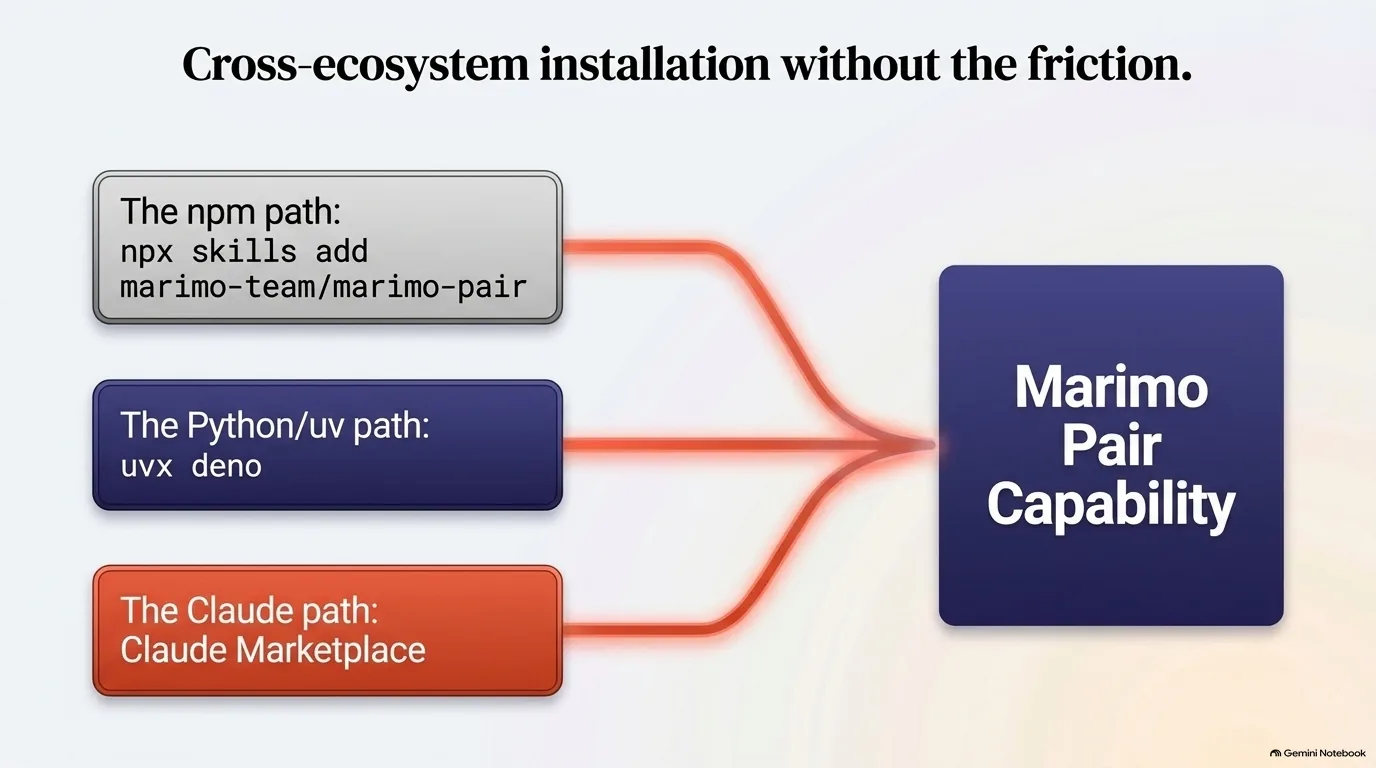
A skill is just a folder of files with a skill.md in it, so installing one means putting those files where your agent will look. The marimo team publishes the skill in the marimo-team/marimo-pair repository on GitHub and versions it over time. There are a few ways to get it.
If you have npm, the skills command line tool does the job. It walks you through picking your agents (Claude Code, Codex and OpenCode are among them) and installs the skill either locally in a folder or globally on your system. No npm but you do have uv? You can run the same tool through Deno:
# with npm
npx skills add marimo-team/marimo-pair

# with uv, no npm needed
uvx deno -A npm:skills add marimo-team/marimo-pair
The two are equivalent. They end up running the same CLI, and only the package manager doing it differs. Michael Kennedy has run into the npm requirement so often that he's wondered why we're stuck on it, and he floated uvnpm as a sweet new alias for the uv version.
The third route is a plugin marketplace. In Claude Code you register the marimo team's marketplace, and when they publish an update, Claude Code may ask you one day whether you'd like to upgrade the plugin. Trevor Manz believes Codex has something quite similar. His advice: if you're mostly a Claude Code user, install from the marketplace. If you flip between a lot of agent harnesses, use npx skills or the uvx version, and upgrade the skill with the same tool later.
Now for the fun tangent. Why can you install deno from PyPI at all? Because Trevor asked for the name. He went through a very formal process with PyPI to get it and then turned it over to the Deno team. Sharing packages between ecosystems matters, he says, because the Python and npm ecosystems are both growing so much, and it's a lot to ask people to have both package managers installed, especially depending on whether someone thinks of themselves as a Node person or a Python person.
And what is Deno? It's a server-side JavaScript runtime from the same creator as Node, built partly to fix things that happened in the Node ecosystem. It behaves more like a browser, with fine-grained permissions: to read the file system, for example, a script has to explicitly opt in to that capability.
With the skill installed, getting started takes one prompt. Ask your agent to start a marimo notebook using the marimo pair skill, and everything it needs to connect is in the skill.
“Being able to share packages between ecosystems without having to reinstall a new package manager I think is really important because both the Python ecosystem and the npm ecosystem are growing so much.”
Trevor Manz
Pair programming with your data: messy Excel files, plot selections and what-if questions
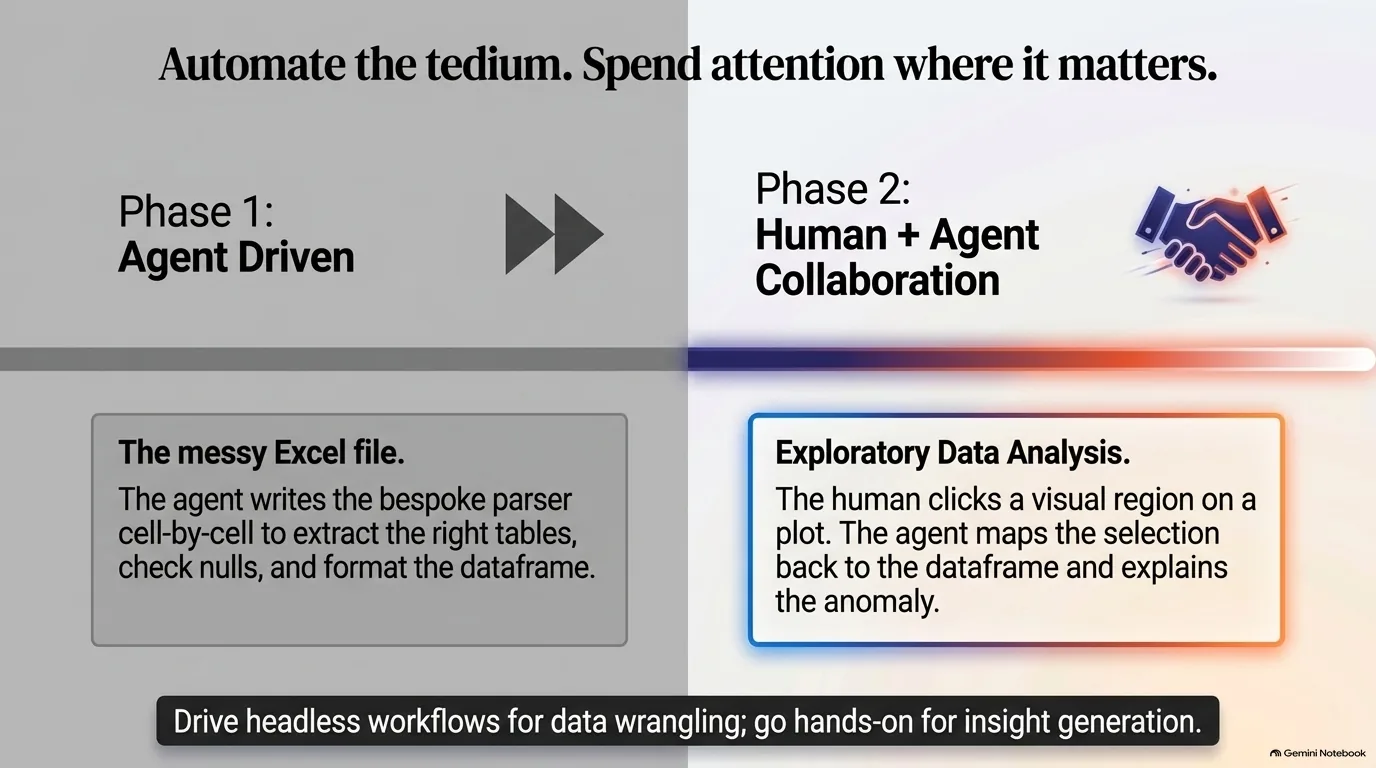
Trevor Manz has a story that shows where marimo pair earns its keep. He was helping his dad look at some data that lived in an Excel file. Loading Excel in Python is notoriously annoying, because you end up writing your own little parser to find the separate tables in the sheet. All Trevor really wanted was a few data frames to plot. So he dragged the Excel file into marimo pair and asked the agent to load the three tables into the notebook. By hand, that might have taken him an hour. The agent needed a couple of minutes, maybe even one, and Trevor got to spend his time on the interesting part: making the plots and communicating something with the data.
Michael Kennedy says he's not a fan of vibe coding, really, but he sees this as an on-ramp into notebooks and programming. Someone might ask decent questions about data without knowing which Excel library to install or how to select the third sheet. Trevor's take is that marimo's deterministic execution order allows a middle ground. You can vibe code the first bit, getting the data into memory, and save your attention for what needs it: cleaning, plotting and modeling. Python is a Swiss Army knife for ingesting data, he adds, and the agent can lean on that ecosystem to get your data into a useful shape.
Once the data is loaded, things get more visual. During exploratory analysis in marimo, Trevor can circle a region of a plot and ask, "what did I just select here?" The agent takes the selected indices, checks them against the data frame and comes back with an answer. In the integrated browser inside VS Code or Cursor, you can click a plot to capture a screenshot and add it as context, so a multimodal model reasons about the rendered output and not just the code.
It's the same habit Michael likes in his editor: highlight three lines, ask what's wrong with this, and your focus becomes the context. He gives the name its due, too. In real pair programming you'd point at the screen and ask what do you think about this, instead of describing which file and which function.
It works the other direction as well. Michael once handed Claude a data set and asked what questions he should be asking. He got data frames, heads and stats, so he asked for it in pictures and got a bunch of graphs. Connected to a marimo kernel, Trevor says, you can ask for a bar chart or a box plot right there, a much richer canvas than ASCII output in a terminal.
Trevor's larger point is about cost. Agents made what-ifs in code cheap: an idea that once ate a weekend or several weeks might take an afternoon. He wants questions about your data to feel that cheap too.
“Maybe that would have taken me an hour to do on my hand from before. And it took a couple minutes for the agent or maybe even a minute for the agent.”
Trevor Manz
Running marimo pair against a remote kernel on molab
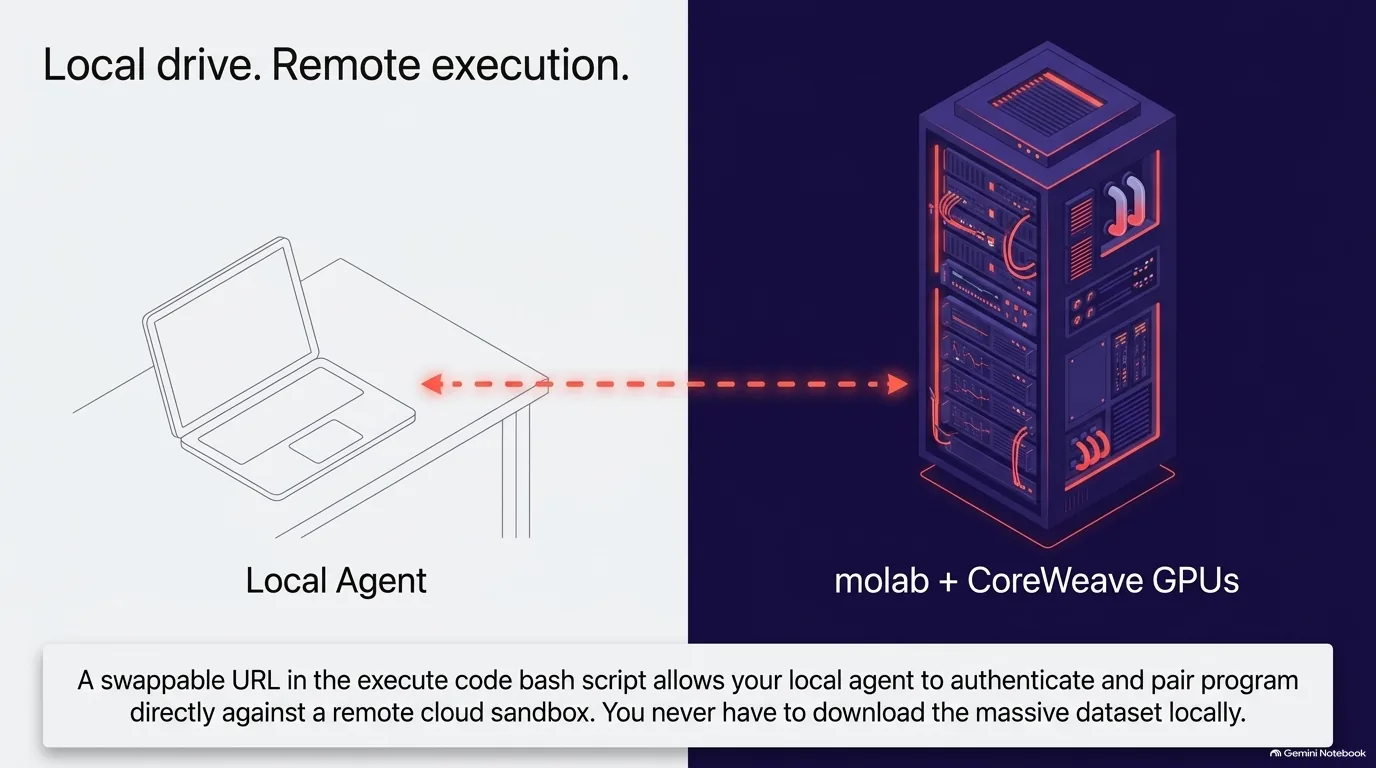
What if the notebook isn't on your machine? Say marimo is running on a server or a cloud service, while your agent, Claude Code for instance, runs on your laptop. Can the two still pair?
They can, and the reason is in how the tool call works behind the scenes. When the agent runs Python through marimo pair, the request goes through a bash script called execute code, and that script takes a URL you can swap. Point it at localhost, or at a marimo kernel somewhere else, with some authentication. That connects your local agent to a remote marimo kernel, giving you a sandbox that isn't running on your machine at all, while you still drive it from your own. Michael Kennedy filled in the obvious reason to want this: some big machine with GPUs is a better place to run your code.
marimo has a place for exactly that. molab is marimo's cloud-hosted version of marimo notebooks, and Trevor Manz says the team recently released it on CoreWeave infrastructure, with some GPUs for the community. Pairing with it takes three steps:
- Open a notebook in molab and click pair with an agent.
- Copy the little command it gives you.
- Hand that command to Claude Code or Codex on your own machine.
From then on, you're pair programming locally against a sandbox in the cloud. Your agent stays where it is, and the computation happens on the bigger machine.
It's a clean split, and it falls straight out of the earlier design choices. The agent only ever needs one tool, run Python in the kernel, and the kernel's address is just a URL. Whether that URL is on your laptop or in a data center doesn't change how the agent works.
“And then you have a sandbox that's not running on your machine at all, but somewhere in the cloud. But you're driving that from your local machine.”
Trevor Manz
The marimo pair roadmap: VS Code integration and real-time collaboration
Where can you run a marimo pair session today? That depends on where you like to drive your agent, and the list keeps growing.
Trevor Manz is responsible for marimo's VS Code extension. If you've opened a Jupyter notebook in VS Code or Cursor, you've seen the editor's built-in notebook UI. marimo's extension reuses that native view but shows marimo outputs. The latest thing Trevor has been working on lets the agent inside VS Code drive those notebook outputs as well, and at recording time he expected it to ship in about a week.
Michael Kennedy asked the practical question. An editor gives you at least three ways to run an agent: its built-in chat panel, an extension like the Claude Code or Codex one, or the terminal. Do they all work? Yes, with one difference in what you see. Launch from the terminal or the Claude Code extension, and the agent will likely start marimo's command line tool and open a web view of the marimo editor inside VS Code. Use the built-in chat panel, and it drives the more integrated native notebook view. You can start a marimo pair session from any of them.
The broader plan is to show up wherever people drive agents, so they can spin up a marimo notebook and collaborate on it. For now that's mostly terminal workflows, plus the chat inside the marimo editor. VS Code is next. Further out, Trevor pictures starting a chat in Claude Desktop or Codex Desktop and having it drive a marimo notebook as well.
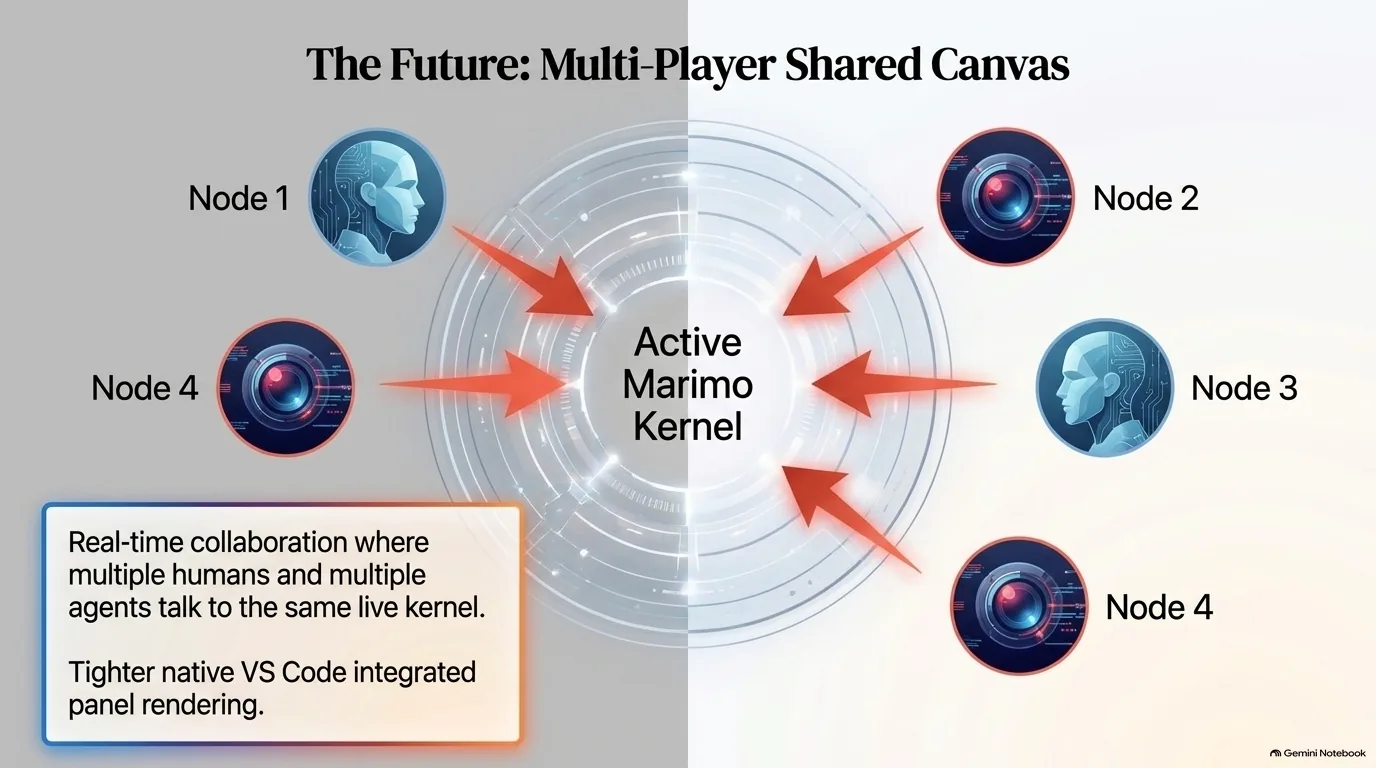
Then Michael brought up something he thinks the whole agentic AI world is missing: a Google Docs equivalent. You start a Claude Code session, someone else joins it, and you all talk to the same agent. Maybe someday, he said. Trevor suggested marimo could fill that role. The team is working on real-time collaboration features in marimo, and maybe there's a way for multiple people, each with their own agent, to talk to the same marimo kernel. Or, in Michael's words, each person and their agent buddy, all in there together.
“Our direction with Marimo Pair is to try to think of all the places in which folks are trying to drive agents that maybe we could have the ability to spin up a Marimo notebook and allow folks to collaborate on these reproducible artifacts.”
Trevor Manz
Why agent-built marimo notebooks stay reproducible
According to Trevor Manz, marimo pair is increasingly the main way marimo users who prefer to write code with agents create and share notebooks. He sees their usage on a range from hands-on to hands-off. Hands-on is exploratory: spin up a notebook, load a data set, prompt the agent for plots, look at the outputs and decide where to go next. You direct the work, you just don't type the code. Hands-off is headless. Some users spin off many marimo pair sessions on a similar problem, then connect to the running notebooks later to see what the agent did.
Why does headless work at all? If you've ever tried to one-shot a program or a notebook, you know the catch. The agent has no way to verify what it wrote. At best it runs the whole thing at the end and then goes back to fix it cell by cell. Michael Kennedy described the risk: it could just be some well-formed but meaningless notebook.
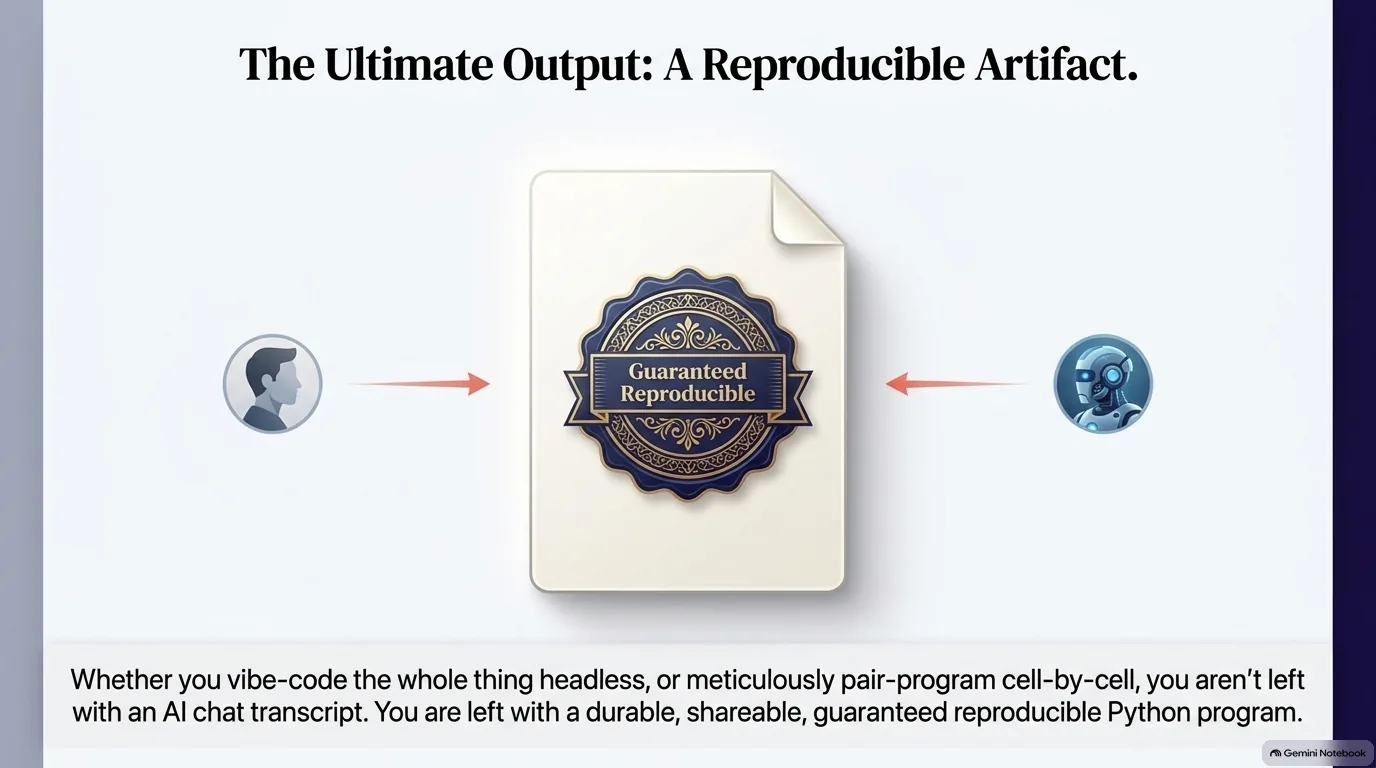
marimo pair forces a different process. The agent builds the notebook the way you would, one cell at a time - load the data first, then look at the nulls. If a step errors, the agent fixes it right there rather than after generating everything. Trevor says the team found you get much higher quality outputs this way, because the notebook was built under marimo's constraints, so it has to run.
That's the goal Trevor describes for marimo. Whichever agent drives the session, you end up with a marimo notebook, which is a reproducible Python program. Turn the agent off and it's still useful for communicating your results, or what happened in the session.
Want to try it? Trevor's advice is to pick a data set you have in mind and drag it in, then ask the agent to load it into the notebook and start making some plots. He says you'll quickly see how much runtime inspection shapes the experience. For him, it meant going from very hands-on to sitting back a little and thinking cell by cell about what he wants to do. The skill and instructions are at marimo.io/pair and in the marimo pair repository on GitHub, and the team wants to hear where it falls short.
If you'd like to go further, Talk Python Training has three courses that fit this conversation: Agentic AI Programming for Python for working with tool-using agents like Claude Code, Just Enough Python for Data Scientists for the habits, reproducibility among them, that take notebook work from ad hoc to reliable, and Polars for Power Users for the data frames an agent ends up inspecting and plotting.
“That's our goal at Marimo, to make sure that whether you knew how to write Python code or you don't know how to write Python code, you're able to produce this reproducible artifact for your data analysis.”
Trevor Manz