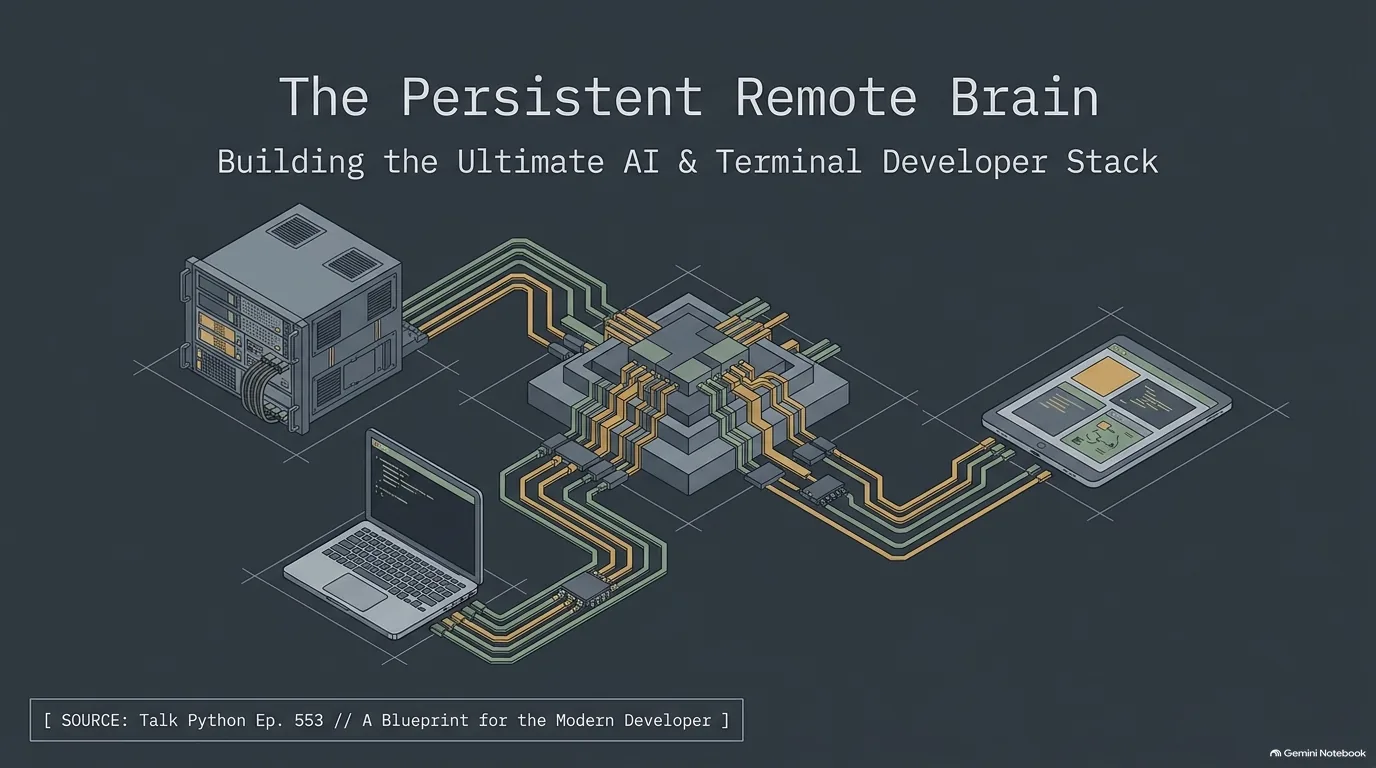
A Developer's Tool Stack, From Terminal to AI Agent, a Visual Guide
TL;DR: Michael Kennedy and Calvin Hendryx-Parker each picked the developer tools they lean on every day, and the picks stack up in layers. Tailscale, Mosh and tmux keep machines and sessions reachable from anywhere. Warp, Kitty, Blink and a tuned-up shell prompt make the terminal a nicer place to live. Pi, Superpowers, Claude Code and MacWhisper cover AI coding and dictation. The common thread: the defaults that ship with your computer leave a lot on the table.
Every developer has a toolbox, and developers rarely compare them in detail. This guide does. It comes from a conversation that started on Python Bytes, Talk Python's weekly news show. Brian Okken had moved on, Calvin Hendryx-Parker had joined as the new co-host, and to kick off that new era the two hosts recorded a longer, more personal episode about the tools they actually use day to day. It went over well enough that Michael Kennedy, host of Talk Python, brought it over as a crossover episode.
Picking was harder than it sounds. Calvin had trouble sleeping the night before because the list kept running through his head. Michael compared it to being asked which of your kids you really like.
A pattern shows up quickly. Both hosts brought AI tools and both brought terminal tools, which Michael found noteworthy coming from two people who have been doing this a long time. Calvin is terminal first and has been since college. Michael runs a polished terminal and leans hard on an AI coding agent. Between them they cover the whole stack: reaching your machines from anywhere, the terminal and shell you live in, working with AI coding agents, and typing less.
This guide walks through those tools layer by layer: what each one does, why it made the cut, and where the two hosts went different ways. Calvin skips Oh My Zsh for his own dotfiles. Michael keeps Warp but turns off its own terminal magic. And Calvin gets to his home network through Ubiquiti gear while Michael swears by Tailscale.
Why your terminal's default settings are holding you back
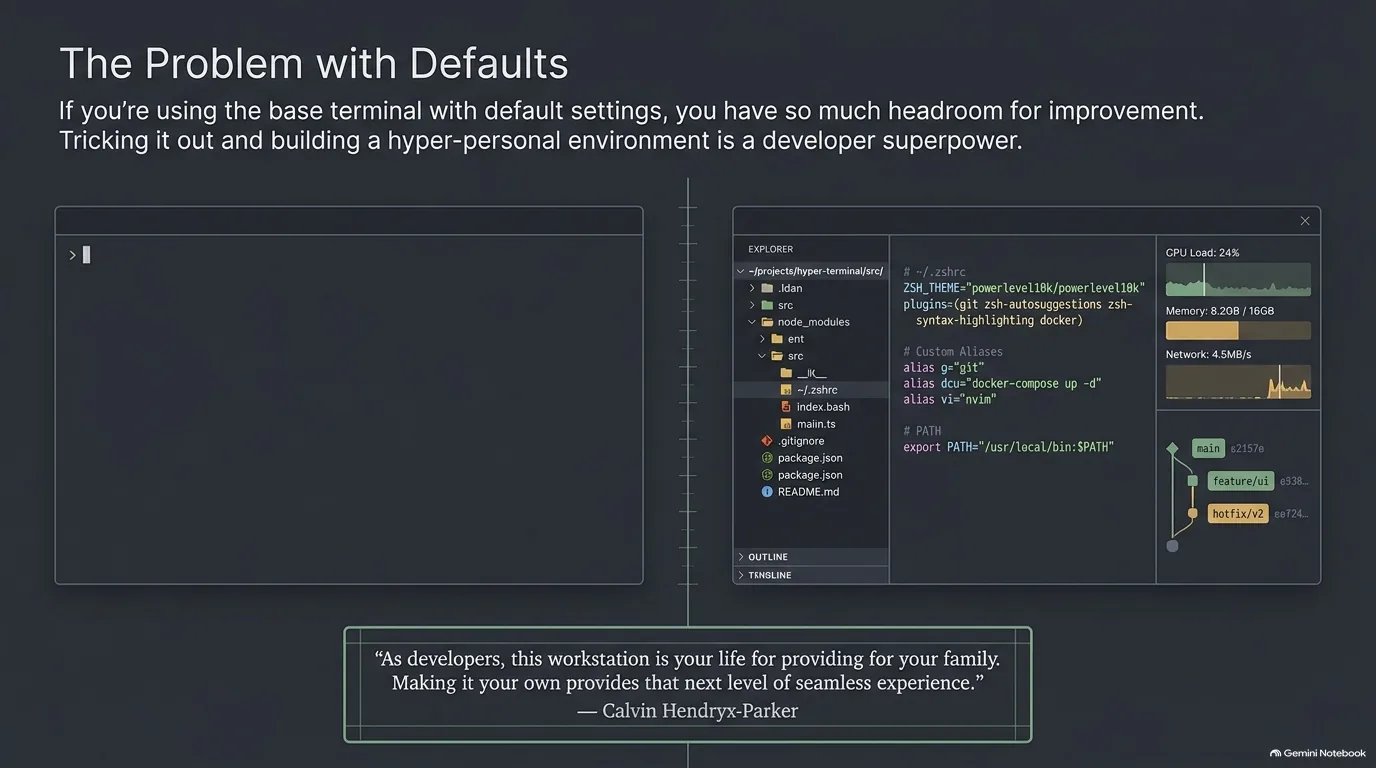
Open a terminal on a fresh Mac, Linux box or Windows machine and you get a blinking cursor on a plain background. It works. But it tells you nothing about where you are, which branch you're on or which Python you're about to run. Michael Kennedy is blunt about it: if your terminal looks like the default thing that came out of your computer, that's probably not a good thing. On Windows, especially with the Command Prompt, he sees even more room to grow.
Why bother? Calvin Hendryx-Parker frames it around what the machine means to a developer. Your MacBook Pro, Linux machine or Windows box is how you make a living and provide for your family. Tricking it out and making it your own pays off because the small tools layer on top of one another until the whole environment feels friendly, easy to use and seamless. He calls these additions creature comforts, things like a prettier ls or a fancy prompt.
Personal also means opinionated, and that has a cost. Calvin has carried his own set of dotfiles for about 20 years. That's why he has never gone all in on Oh My Zsh, the framework Michael uses: he isn't sure how the two would work together. Michael has the same problem somewhere else. He has so much structure around his AI tools that he isn't sure how a framework like Superpowers would fit into it. When your setup is that personal, a new tool has to fit around everything already there.
None of this is about shaming people who run stock settings. Michael sees it as an opportunity: if you're not doing this yet, there's a whole set of tools waiting to start working for you. The rest of this guide is a tour of them, from the network up to the AI agents.
“And I don't want to shame anyone who doesn't do this, but why aren't you? Like, it's here. People have built these beautiful things.”
Calvin Hendryx-Parker
Overview: the three layers of a developer tool stack
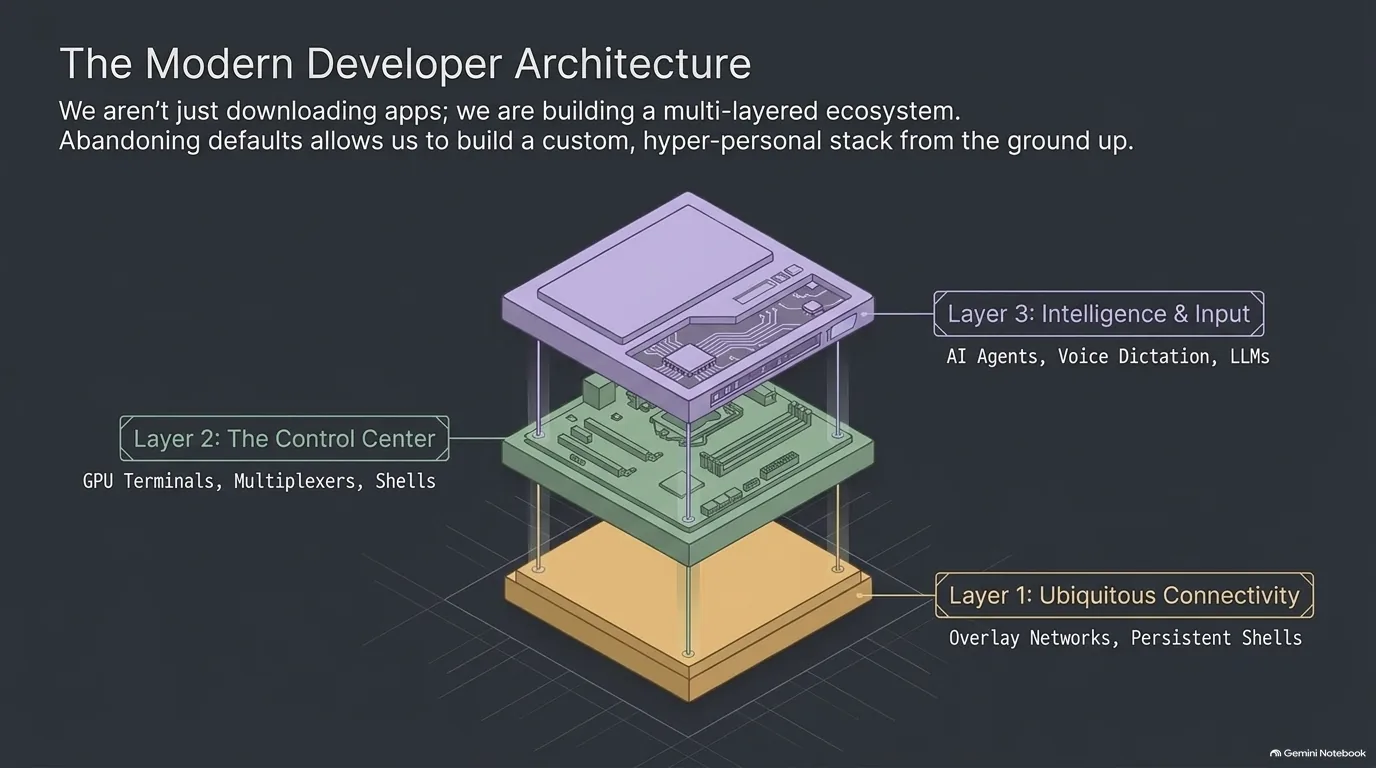
The tools in this episode fall into three layers, and it helps to see them stacked before going through them one by one.
- Connectivity. The bottom layer keeps your machines reachable and your sessions alive. Tailscale puts a home server in reach from a coffee shop without opening a port, and Mosh and tmux keep a terminal session running through sleep, flaky Wi-Fi and a change of device.
- The terminal. The middle layer is where the work happens: a terminal app such as Warp, Kitty or Blink, and a shell prompt that shows your git branch and virtual environment at a glance.
- AI and input. The top layer is the newest. It covers structured agentic workflows like Superpowers, coding agents such as Pi and Claude Code, and local dictation with MacWhisper.
A few extras round it out: Markdown viewers, a docs generator, and a detour into Anthropic's Fable and Mythos models. Each layer is a place where the default can be swapped for something that fits you better.
Tailscale for developers: reach your home machines without opening ports
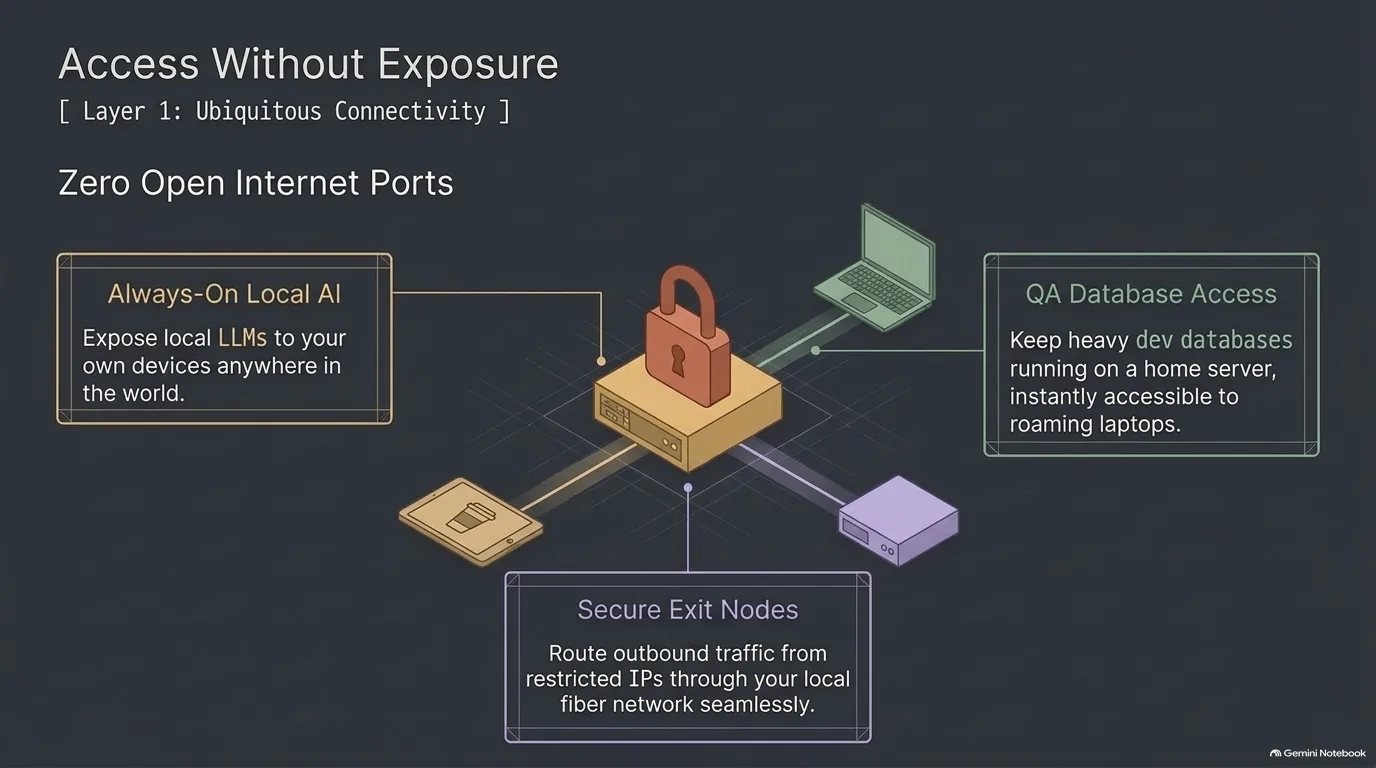
Say you have a beefy machine at home running local models, a database or a voice assistant. It works great on your home network. Then you head to a coffee shop, a client meeting or a work trip. What now? Michael Kennedy lists the usual options: go without, or expose the machine to the internet and wait for it to get hacked. His answer is Tailscale.
Tailscale is an overlay network. Your regular network keeps doing its thing, and Tailscale sits alongside it. It's a bit like a VPN, but it doesn't intercept your normal traffic. It just makes your own machines visible to each other wherever they are. Before it, Michael got by with SSH tunnels and, rarely, ngrok.
Here's how he uses it. A maxed-out Mac Mini M4 Pro at home runs LM Studio with his local models. It also runs the database server his apps use in development, so he doesn't install a database on every laptop. At home the apps connect over the local network. Anywhere else, Tailscale makes the same server visible. Screen sharing back to the home machines works the same way, and none of it is exposed to the internet.
The exit node is the clever part. On the server that runs all of Michael's stuff, port 22 only accepts connections from his home IP address. Wherever he is, he tells Tailscale to use the Mac Mini as the exit node, so his traffic looks like it comes from home and the server lets him in. That's normally a pain when you travel and your IP keeps changing. You could go further, put Tailscale on the server itself and block SSH to the internet entirely, though Michael says he hasn't been that brave.
Calvin Hendryx-Parker isn't a Tailscale user. His house runs on Ubiquiti gear, and the Teleport VPN on his Dream Machine SE gets him what he needs from all his devices. If he didn't have that, he says, he'd absolutely use Tailscale. His broader advice: most routers support WireGuard at a bare minimum, and if you trust your home network, you should be VPNing back into it. He's also pretty sure Tailscale can turn an Apple TV into an exit node, which could help if you support aging parents' home networks remotely.
Michael's interview with Alex Kretzschmar, who ran a self-hosting podcast and now works at Tailscale, goes deeper.
“Or you expose it to the internet like an insane person, and then it gets hacked, and then something bad goes down. Or you could use my new religion, Tailscale.”
Michael Kennedy
Mosh and tmux: keep terminal sessions alive across networks and devices
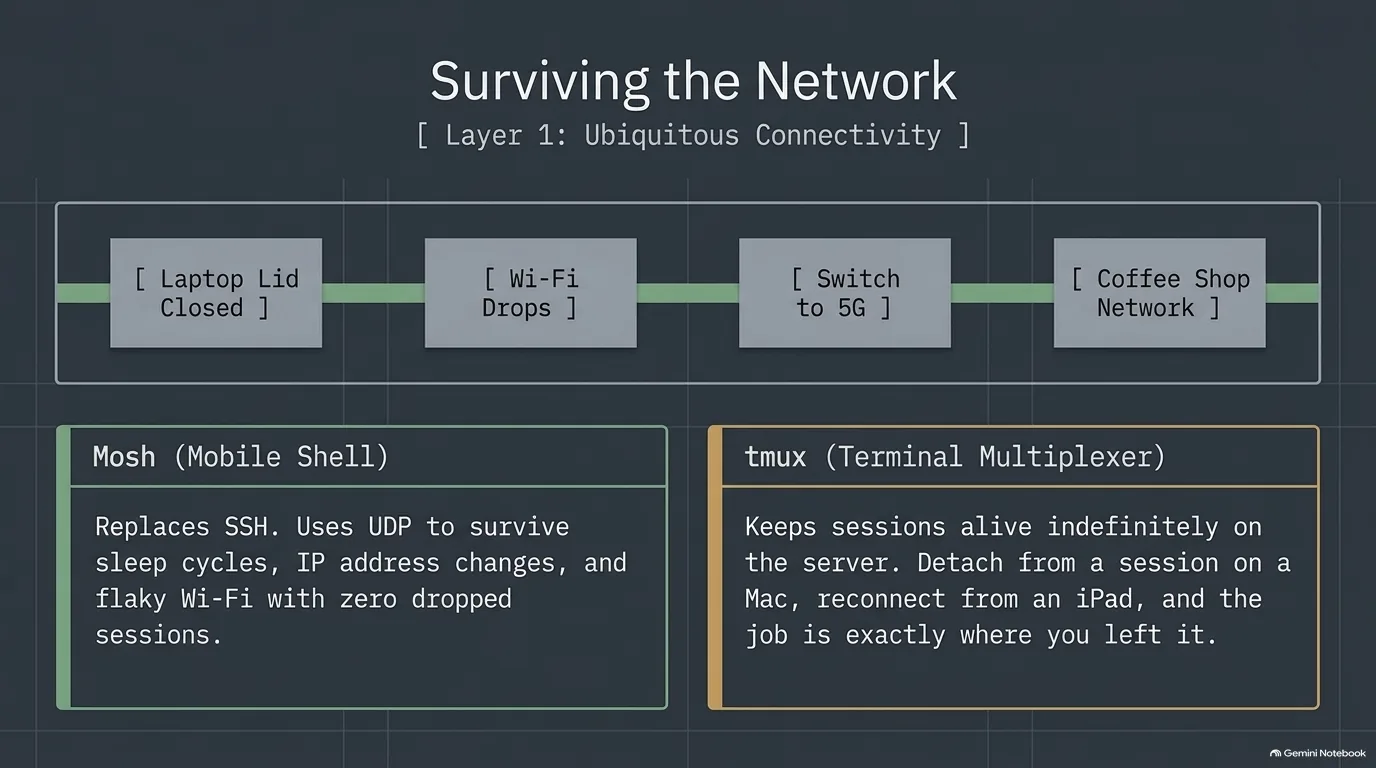
SSH is great until you close your laptop. Put the computer to sleep, hop to another Wi-Fi network or sit down at a coffee shop, and the session is gone, along with whatever you had running in it. Calvin Hendryx-Parker runs long agentic coding sessions on a Linux machine at home, so a dropped connection is more than an annoyance. His fix has two parts.
The first is Mosh, the mobile shell, which takes care of the connection. Mosh is built for unreliable networks: terrible Wi-Fi, a computer that went to sleep, a move to a different network. Open the laptop back up and it's like nothing happened. Mosh adapts and keeps the bits flowing between your terminal and the remote machine.
The second is tmux, the terminal multiplexer, which takes care of the session. It runs on the server and keeps your sessions alive there whether or not anyone is connected. You can detach from a session and reattach later, from the same device or a different one. If you have five clients, you could run five tmux sessions and attach to whichever one you need.
Put them together and you get the workflow Calvin described. He starts on his Mac, with a session running on the Framework desktop on his other desk. Then he goes to a coffee shop, opens his iPad and reattaches to that same tmux session. The agents and everything else he had going are still running, right where he left them.
Calvin's goal is to travel with just his iPad, because he'd rather not carry a large laptop around. That has always been tricky to pull off, and this pair gets him most of the way there. On the iPad side, the missing piece is a terminal app that speaks Mosh, which is where Blink Shell comes in.
“If you're using SSH, you should probably be using Mosh. You'll have a much better experience. It's much less fragile when it comes to keeping those connections going.”
Calvin Hendryx-Parker
Warp, Kitty or Blink: choosing a terminal emulator
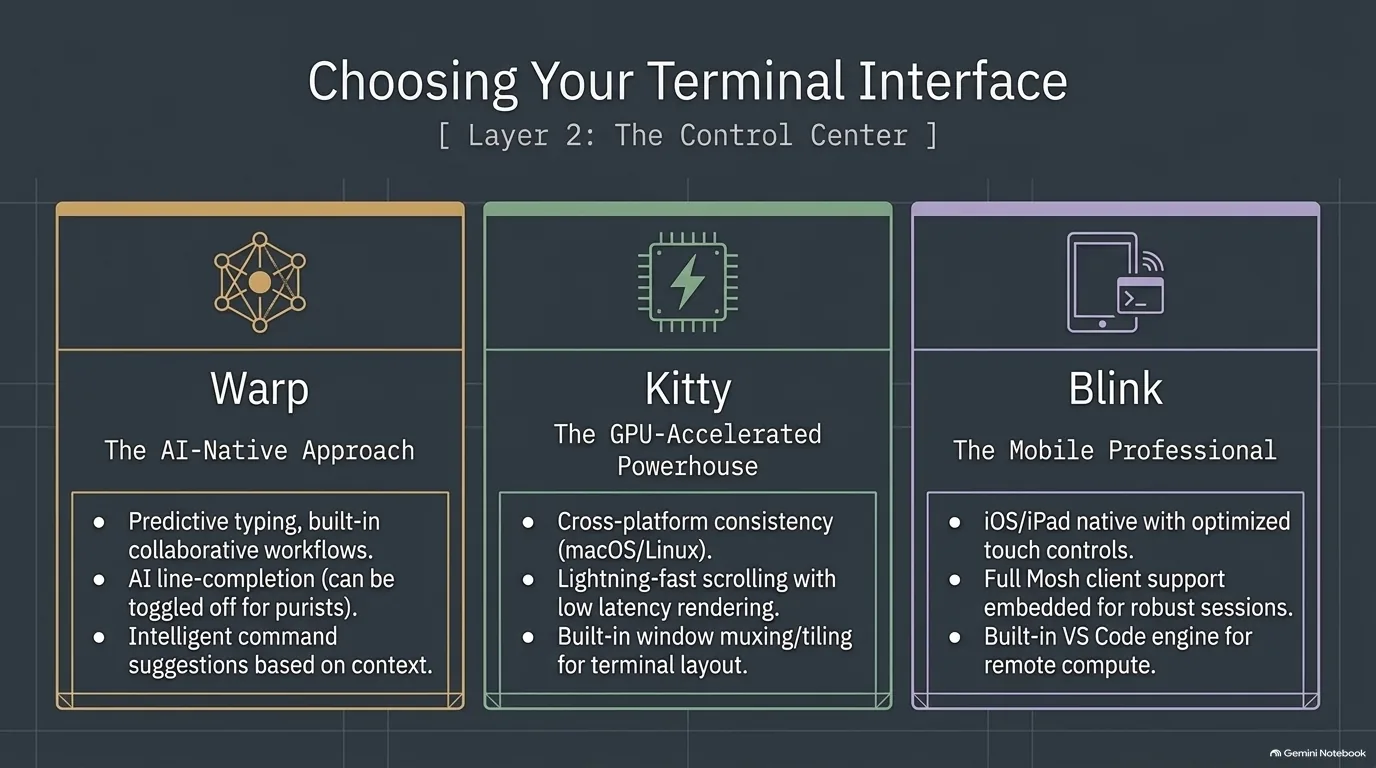
Michael Kennedy and Calvin Hendryx-Parker use different terminal apps, and their reasons say a lot about how each of them works.
Michael has used Warp, from warp.dev, for the last couple of years. Like most software these days, it has grown agentic features, and he isn't sold on them. He has barely used them and thinks there are better agentic tools for the terminal. You can turn them off, though, and what's left is a really nice terminal with a fresh take on how you work. It has team collaboration features and a predictive mode: type two letters and it may suggest a whole command you've run recently, which you accept with the right arrow rather than tab. Michael compares it to GitHub Copilot's early line completion, but for the terminal. Calvin isn't sure he's ready to give up that much control.
Calvin is a longtime Kitty user. He regularly moves between a Mac and a Linux Framework desktop and wants the same terminal on both. Kitty is GPU accelerated. Why would a terminal need a GPU? It scrolls like nobody's business, and for Calvin performance is a big feature.
Kitty also has its own window multiplexing built in, so you may not need tmux at all. Muxing means one terminal window instead of a bazillion of them cluttering the desktop. Inside it you get tabs like a browser, and each tab can be split into tiles. Calvin's example: mypy at the bottom, a shell at the top, broot browsing the file tree on the left, and lazygit auto-refreshing in another pane so he can watch the diffs as an agent edits files. He may switch back to tmux on the Mac, because a tmux session can be detached and picked up from another machine.
On the iPad and iPhone, Calvin uses Blink Shell. It gives you a shell on iOS, but the real value is that it's a full SSH and Mosh client, which ties it into the Mosh and tmux setup. It also has VS Code built in: type code and it starts a VS Code session that can connect to GitHub Codespaces for remote compute. There are some hoops, Calvin admits, but it works.
Michael rounded out his terminal pick with an app he built himself, Command Book. He uses it every day, which is why he built it. It takes long-running commands, like a Hugo watcher or a dev web server, out of the terminal and keeps them going, restarting them if they crash. That matters because a framework's auto-reload can die on an unclosed parenthesis and stay dead until you notice. The idea is to keep your terminal for terminal things.
“I think that tools like Ruff and uv have proven to us that the fastest speed as a developer is staying out of our way as we're thinking through problems and I don't want the terminal to be one of those laggy bit.”
Calvin Hendryx-Parker
A smarter shell prompt with Oh My Zsh, Starship, pls and zoxide
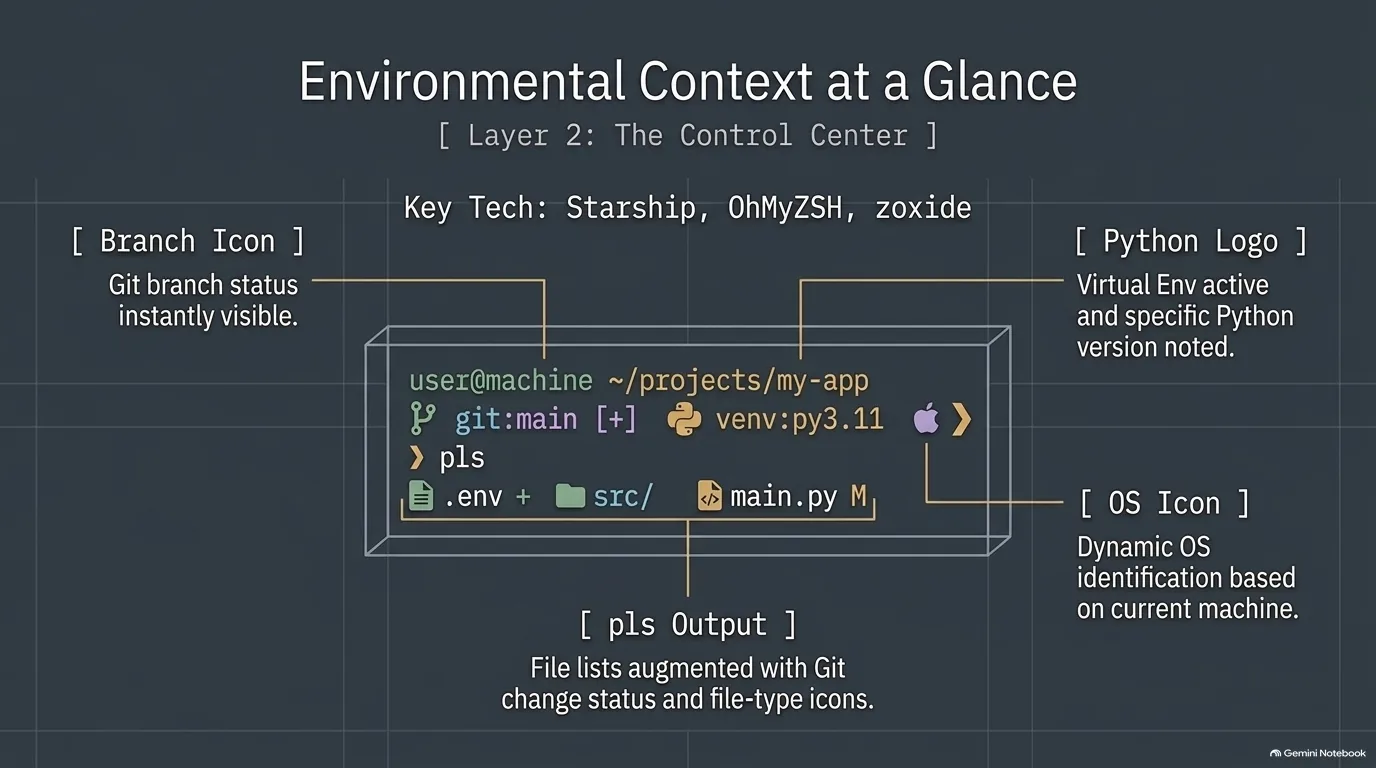
A good prompt answers questions before you ask them. Which branch am I on? Are there uncommitted changes? Is a virtual environment active, and which Python is it? Michael Kennedy's tool for that is Oh My Zsh, an old standard he loves. He runs it inside Warp with Warp's own terminal magic turned off.
Change into a git repository and Oh My Zsh puts the branch in your prompt, along with whether the repo has changes. It shows whether a virtual environment is activated and which version of Python it's running. The tab completion knows about your projects, too. Type git branch and press tab, and it lists the local branches plus the ones on your server that you could check out. Calvin Hendryx-Parker, a Zsh user for ages, is excited to see it get more popular.
Calvin gets most of the same results a different way. Instead of Oh My Zsh, he runs Starship, a cross-shell prompt, on top of his own dotfiles. He switched to it because Powerlevel10k became unmaintained, and Starship is fast and written in Rust. Presets are one copy-paste command away. Calvin runs the Gruvbox one, and there's Tokyo Night and others. It needs a Nerd Font installed for its icons, and without one, Calvin says, it looks rough. One nice touch for someone who switches machines: the prompt shows an Ubuntu logo on his Ubuntu machine and an Apple logo on his Mac. He runs it on both, and dresses up the Linux box to look a little more Mac-like.
Two smaller tools round it out. Michael's is pls, a prettier ls that shows which files changed in git and what type each file is, with an icon like you'd see in Finder or Explorer. Calvin's is zoxide, which he uses all the time. It's a smarter cd that learns the directories you visit, so you can jump to one without typing the whole path.
“It'll understand way deeper into your projects and not just, say, autocomplete files.”
Michael Kennedy
From tab autocomplete to agentic workflows with Superpowers
Michael Kennedy was skeptical of AI coding for a long time. The early version was autocomplete: start writing a function, hit tab, and it writes the next five lines. The first two lines would be exactly what he wanted, and the third and fourth wouldn't. So how do you keep the first two? Accept them all, then delete. That made him a low-level reviewer of mistypings and misunderstandings all day, which is not how he wants to spend his time.
What changed his mind was the move to agentic tools: AI that iterates with tools and works from specifications or skills. His advice to anyone who tried AI coding a year ago and walked away is to give the tools another look, because the top-tier ones are a different experience now.
Superpowers is a good example of what that structure looks like. Calvin Hendryx-Parker calls it a spec-driven development tool, and he moved to it from Spec Kit because it feels more lightweight. Start building something and it steps back to figure out what you're really trying to do. Then it walks you through a workflow: brainstorming, planning, execution, verification, review, and finally committing and merging. Along the way it asks questions and proposes options. Out of the box it does test-driven development, red then green. Calvin says it thinks more like a developer, with YAGNI and DRY in mind, where a lot of other coding agents, he believes, just put the model in a loop and crank out as much as they can.
There's no magic in it. Superpowers is a stack of Markdown skills on your file system. That's part of why Michael hasn't tried it yet. So many projects claim that a handful of Markdown files will make AI work, and he figures 95% of them are junk. Then Calvin pointed at the Superpowers GitHub page: about 229,000 stars. Michael's read is that this one might actually have some momentum and polish, more than one person's opinion that happened to work.
Calvin uses it to knock out quick little tools. When an idea comes up, he goes straight to brainstorming and bookmarks it as a small project. At the time of recording he was building one that syncs his messages from his Mac or phone into his company's CRM, because he didn't feel like copy-pasting anymore. Michael finds this kind of hyper-personal software super interesting.
“But once it got to the point where it was sort of agentic stuff, iterating with tools, working with like super power type things or specifications, and you're like, oh my gosh, this is such an amplifier of your skills.”
Michael Kennedy
Pi vs Claude Code: two ways to harness AI coding models
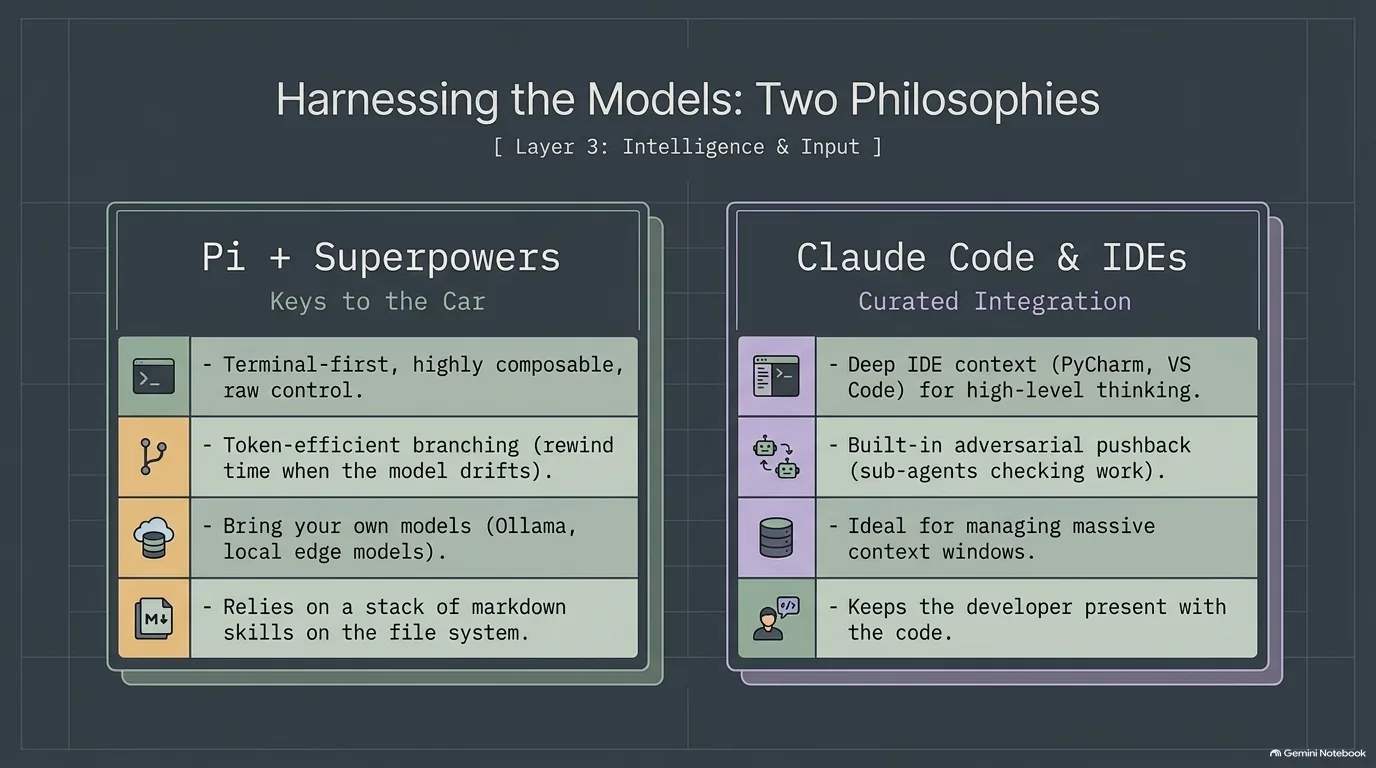
Pi and Claude Code are both agent harnesses: the layer between you and the model that runs tools, manages context and edits your files. Pi is to whatever model you plug into it what Claude Code is to Claude. The difference is how much each one decides for you.
Pi is Calvin Hendryx-Parker's pick. It's a terminal-first, open source coding agent, and it's deliberately stripped back. It doesn't come with subagents or an issue tracker out of the box. It doesn't come with much at all, and Calvin sees that as the point: you build it into what you want, and you don't spend context window on things you never asked for. He liked Aider early on for the same reason. Pi's extension model is incredibly composable, almost aggressively so, though Calvin uses it in a minimal way.
Session management is Pi's other big feature. Your session is a tree, and you can rewind to any point and branch off from there. How many times has an agent gone down a rabbit hole you didn't want? In Pi you back up and keep going. Calvin says that's how he stays token efficient, because people tend to burn more tokens digging out of a hole than they would by backing up. Pi also lets you bring your own models: Gemini, OpenAI, Anthropic, or local models through Ollama. If a model can use tools, Pi can use it. Calvin's suggestions were Gemma 4 and Liquid AI's new LFM 2.5 models. His warning: this is a power-user tool, and it may not be for everyone.
Michael Kennedy's pick, Claude Code, is the more curated option. His routine is to fire up Opus and work carefully with Claude Code, and he admits that's a predictable choice. Calvin pushed on the model question. Not every job needs the biggest model. With skills and subagents, some tasks only need Haiku, to go fast and find a lot of things without burning a ton of tokens. You can also point Claude Code at local models through Ollama, and use it with Superpowers.
Michael has noticed Claude Code doing something new: adversarial pushback. Agents tend to chase a goal no matter what, producing 1,000 lines where 100 would do. Lately Claude will report launching 11 subagents for the work, then four adversarial subagents in different categories to push back, and they turn up a bug or a misunderstanding to fix. Calvin added that you can install custom review agents in Claude Code that use another provider's model, so the reviewer doesn't share the opinions baked into Anthropic's models.
“Pi is the one that hands you the keys to the car versus the guardrails that are put in place by a lot of the other tools. So it may not be for everyone.”
Calvin Hendryx-Parker
Local dictation and transcription with MacWhisper and Handy
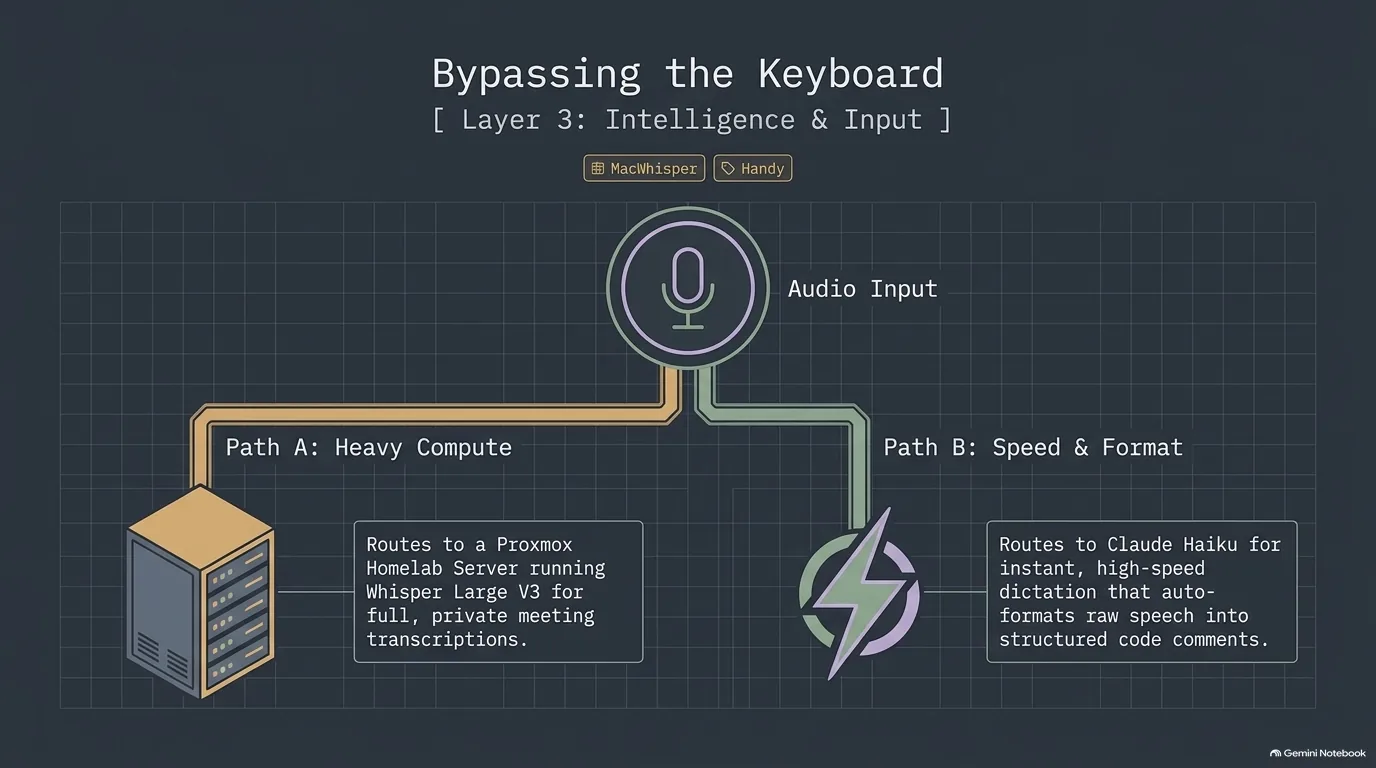
Typing is the default way to get words into a computer, but it's not the only one. Calvin Hendryx-Parker's tool for the alternative is MacWhisper, a Mac app for dictation and transcription that runs on local models. It downloads and uses Whisper by default. As Calvin understands it, the Pro version lets you pick models like Whisper Large V3 or NVIDIA's Parakeet models, which he says are very fast and capable.
Transcription is half of it. Feed MacWhisper a YouTube URL and it transcribes the video. It can also capture the audio coming out of your computer, so Calvin uses it to transcribe his Zoom and Teams meetings. Speaker recognition happens on the device, so your data never goes to the cloud unless you tell it to. Afterward he can click a person's tag and find every conversation he's had with them. Michael Kennedy adds that you can drop in 100 MP3 or MP4 files and it batch-generates transcripts or subtitles in multiple formats.
Dictation is the other half. Calvin maps the right Option key as push to talk: hold it, talk, let go, and the text is pasted into whatever field you're in, in any app. MacWhisper can also run your words through a prompt before pasting. Ramble into Gmail with an email prompt set up, and out comes a tidy email with a greeting and a sign-off. Michael points out that when an app won't take MacWhisper's input, you can dictate to the clipboard and paste it yourself.
For Michael this is about more than convenience. He once broke his hand in three places and couldn't type for six weeks. Back then he used Dragon NaturallySpeaking, which was janky but kept the business going. He has also dealt with RSI for about 20 years, including wrist surgery for carpal tunnel. He can type 10 hours a day if he's careful, and dictation helps keep it at bay. His setup splits the work: local models (Whisper V3 Turbo) for transcription, and Claude Haiku for dictation. Haiku is fast enough that you're not waiting, and smart enough to write PyPI correctly instead of spelling it out phonetically. Calvin called it a great use of Haiku.
MacWhisper is a one-time $30 purchase, not a subscription, and there's a free version. Calvin hesitated to include commercial software but felt this one was worth supporting. If you're not on a Mac, or you want open source, there's Handy: a more basic, open source dictation app that runs Whisper and Parakeet models on Mac, Windows and Linux. Its author, Calvin says, wrote it after ending up in a cast and unable to type. Calvin takes local audio further still: his Home Assistant voice commands are processed by Whisper V3 Large on a Proxmox server in his basement, running on an RTX 3070.
“I like typing. I feel like I've spent a lot of my life trying to type, but I've really recently discovered I should just dictate instead.”
Calvin Hendryx-Parker
Recap: the thin-client setup these tools add up to
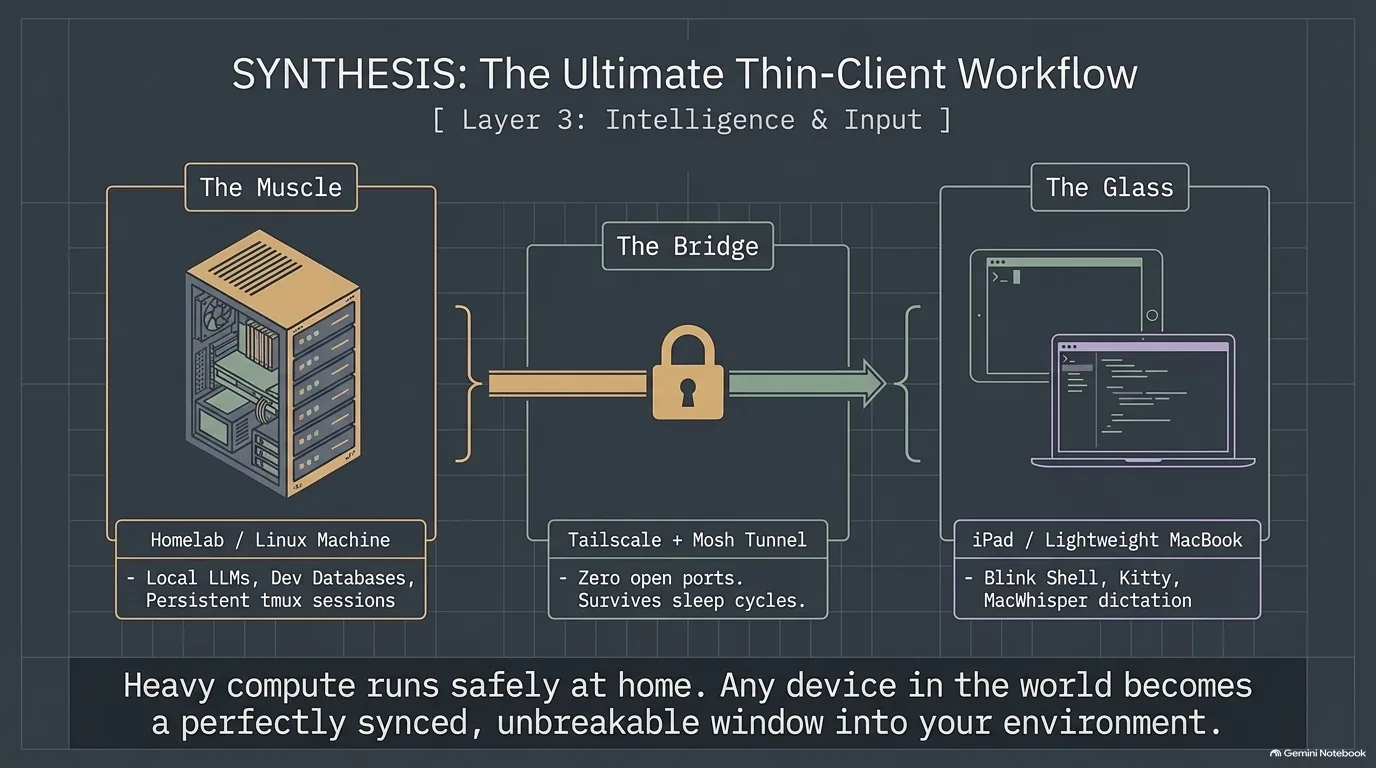
Put the connectivity and terminal tools side by side and a pattern appears: keep the powerful machine at home, and treat whatever you carry as a window into it. Both hosts built a version of this, separately and with different parts.
- The muscle stays put. For Michael Kennedy it's a Mac Mini M4 Pro running LM Studio and his development database. For Calvin Hendryx-Parker it's a Linux Framework desktop running his agent sessions in tmux, plus a Proxmox server in the basement for local voice processing. See Tailscale and Mosh and tmux.
- The bridge gets you there safely. Michael uses Tailscale, with no ports opened to the internet. Calvin uses Ubiquiti's Teleport VPN to reach home, and Mosh to keep the session alive when the network changes.
- The glass is whatever is in your bag: an iPad with Blink Shell, a laptop with Kitty, and MacWhisper for when talking beats typing.
The payoff is the one Calvin is after: leave the big laptop at home and travel with just an iPad.
Markdown viewers and docs sites: Telescopo, Typora and Great Docs
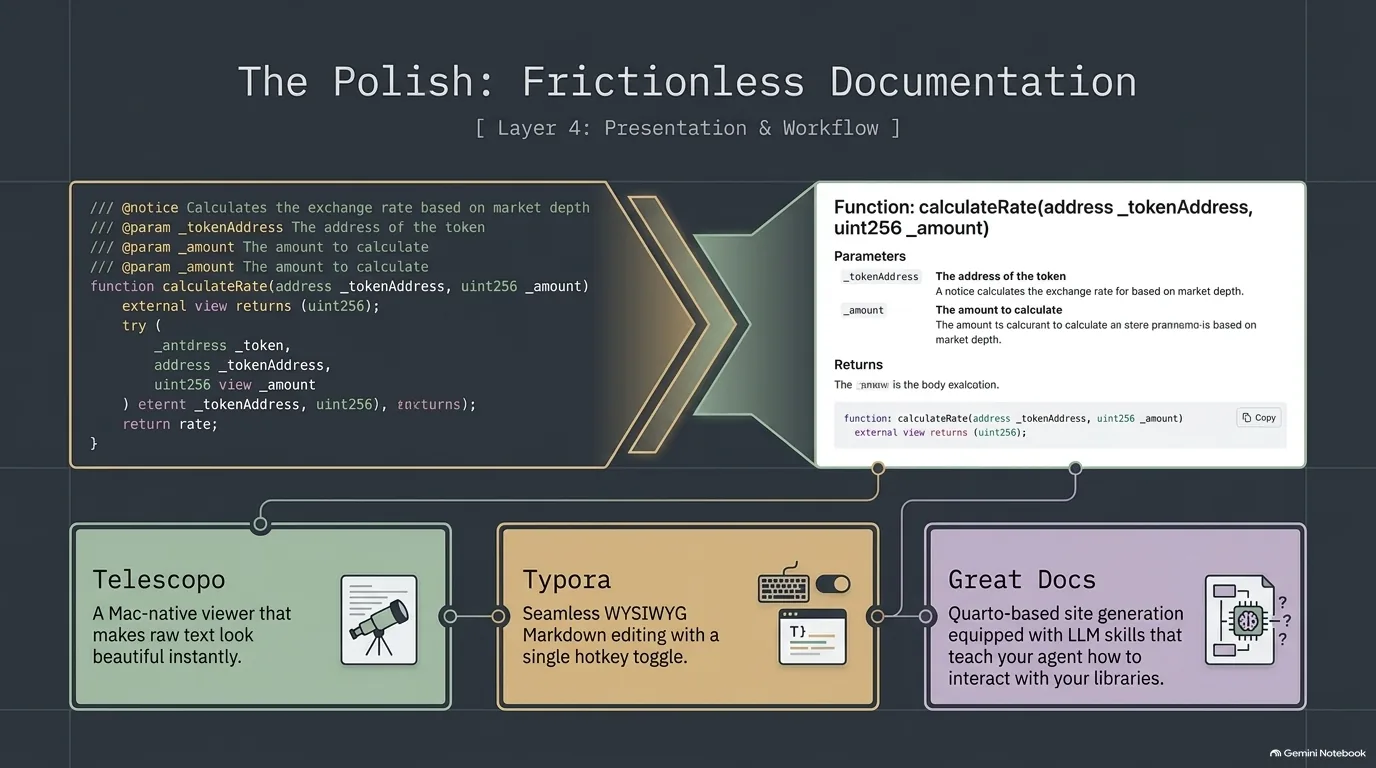
Markdown is everywhere: READMEs, notes, the instruction files that steer AI agents. Reading it raw is fine for developers and less fine for everyone else. Both hosts have a tool for that, and Michael Kennedy has a story about turning a pile of READMEs into real documentation.
Calvin Hendryx-Parker's pick is Telescopo, a Mac Markdown viewer that has just added editing in a new studio mode. He uses it for viewing. Why would you want a viewer only? Because sometimes you're presenting Markdown files to people who don't read Markdown in its raw form. Telescopo gives you lots of themes, good fonts and a Mac-like feel that a regular Mac user finds normal.
Michael uses Typora. Its draw is a single hotkey that swaps between the Markdown view and a WYSIWYG view, and even the Markdown view is styled, with H2s bigger than H3s. He finds it pretty seamless.
The bigger story is Great Docs, from Posit, which Michael had recently covered in an interview. He has seven or eight open source libraries worth talking about, among them an Umami client, a FastAPI integration for Chameleon templates and a partials package for Jinja. They only had READMEs on GitHub and no proper docs site. So the week before recording, with Claude's help, he built full documentation sites for every one of them.
Each site has what the README had, plus a changelog that can be driven from GitHub and an API reference that links to the highlighted source on GitHub. The part Michael was really excited about is the LLM skills: pages that teach your agent how to use the library, with what you can do, how to authenticate, the functions, the typing and example code. The sites are all linked from his personal site, mkennedy.codes. Great Docs is new and doesn't have many GitHub stars yet, but it's built on Quarto, which has been around a long time. Calvin's verdict: "The frictionless way to view docs."
“And so you could probably turn regular old business users on their Mac into Markdown Power users very easily by handing them this app.”
Calvin Hendryx-Parker
Fable 5 and Mythos 5: why Anthropic cut off access
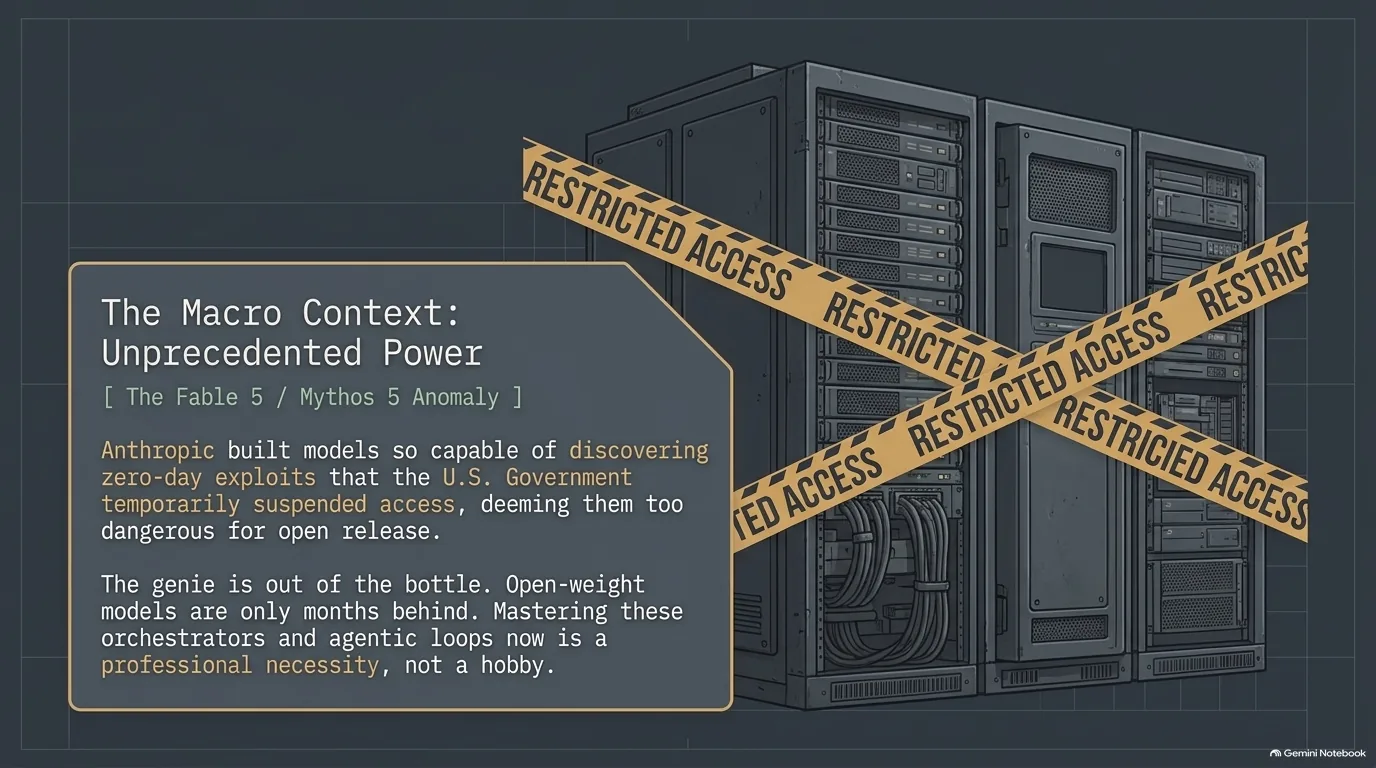
The one AI news story in this episode moved fast. As Michael Kennedy recalled, Mythos had been held back as too dangerous to release. It found a batch of what became CVEs in Firefox, and companies like Apple and Microsoft got access first so they could protect their code before it came out.
Then, to Michael's surprise, it shipped. The new models became available to Claude Code subscribers, with a note that they'd be part of the subscription for two weeks before becoming a purely paid option. Michael used Fable for three or four days and blew through his weekly limit. Calvin Hendryx-Parker got to use it exactly once, to write an ode to Taco Bell.
Then it was gone. As Michael tells it, the U.S. government told Anthropic to restrict access to Mythos and Fable to U.S. citizens only, because they were too powerful. Anthropic said it couldn't do that and shut access off instead. Mark Little, a past Talk Python guest, was the one who sent Michael the news.
How should you read it? Michael is conflicted. He grants that the government could be acting out of spite, given what he described as a feud with Anthropic. But as he sees it, Anthropic spent months describing the model as nearly weapon-of-mass-destruction material, so it's hard to be shocked when someone takes that at face value. Calvin is skeptical of the hype. He thinks this is a who's-raising-money moment, and expects next month to bring the next most important model of your life. He still thinks models like these probably should be in the hands of the people who can use them to patch vulnerabilities, because open-weight models are only a few months behind.
So where does that leave everyone else? Calvin's prediction is a new era of the right model for the right job: small language models, and machine learning models turned into tools, that are faster and cheaper to use than Fable and Mythos.
“Like the genie's out of the bottle we need to give access to the right people so they they can get their work down and continue building safely with these kinds of tools.”
Calvin Hendryx-Parker
Recap: be right, not just correct
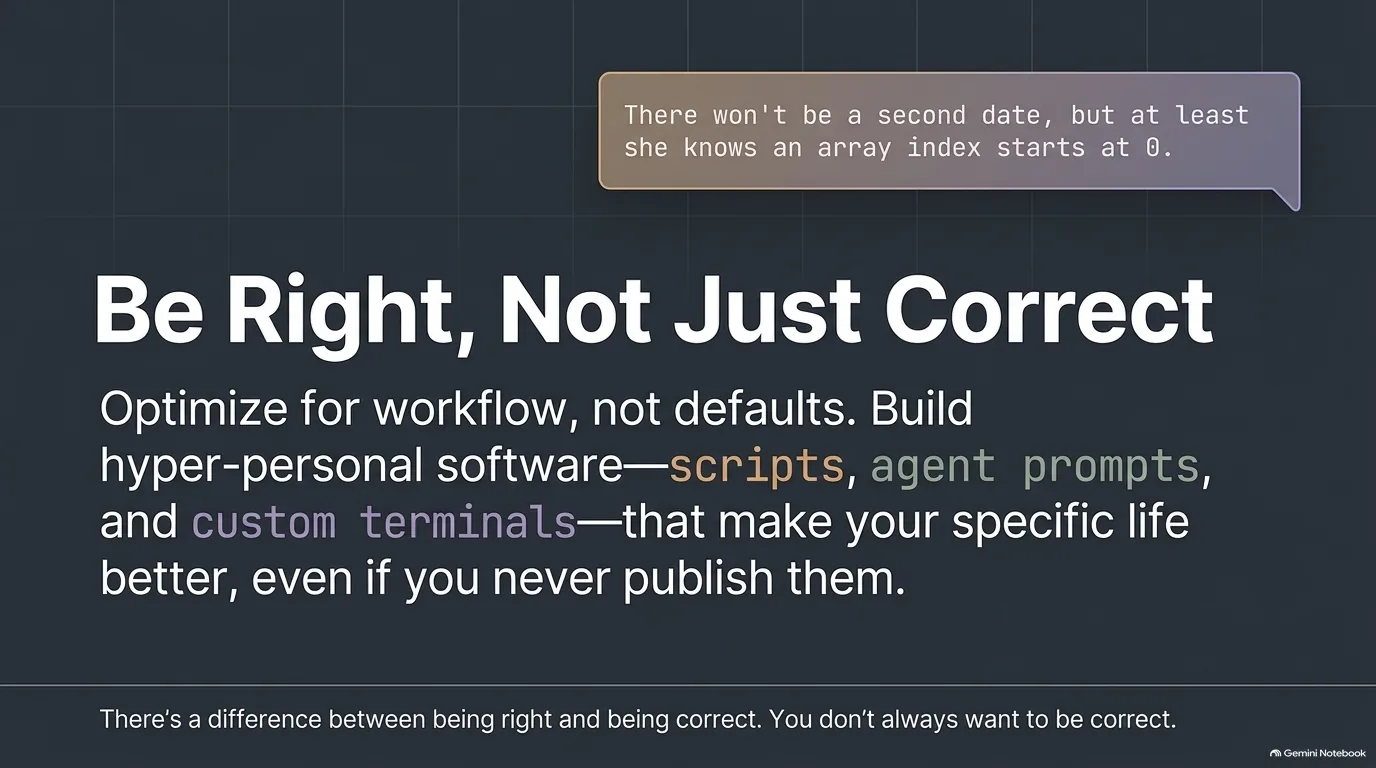
The episode ended on a joke. A smug-looking person explains that there won't be a second date, but at least she knows an array index starts at zero, not one. Calvin Hendryx-Parker's response was a lesson he tries to teach his kids: there's a difference between being right and being correct, and you don't always want to be correct.
That's also a decent summary of the tools in this guide. Neither host's setup is the textbook answer:
- Calvin skips Oh My Zsh and keeps 20 years of his own dotfiles, with Starship on top.
- Michael keeps Warp but turns off its own terminal magic and runs Oh My Zsh.
- Calvin's Pi ships with almost nothing, so he adds only what he needs.
- Calvin builds hyper-personal software, like his message-to-CRM sync tool, because he didn't feel like copy-pasting anymore.
- Michael's dictation setup grew out of a broken hand and 20 years of RSI.
Every one of these starts from the same place: the defaults didn't fit, so they changed them.
Where to start with your own developer tool stack
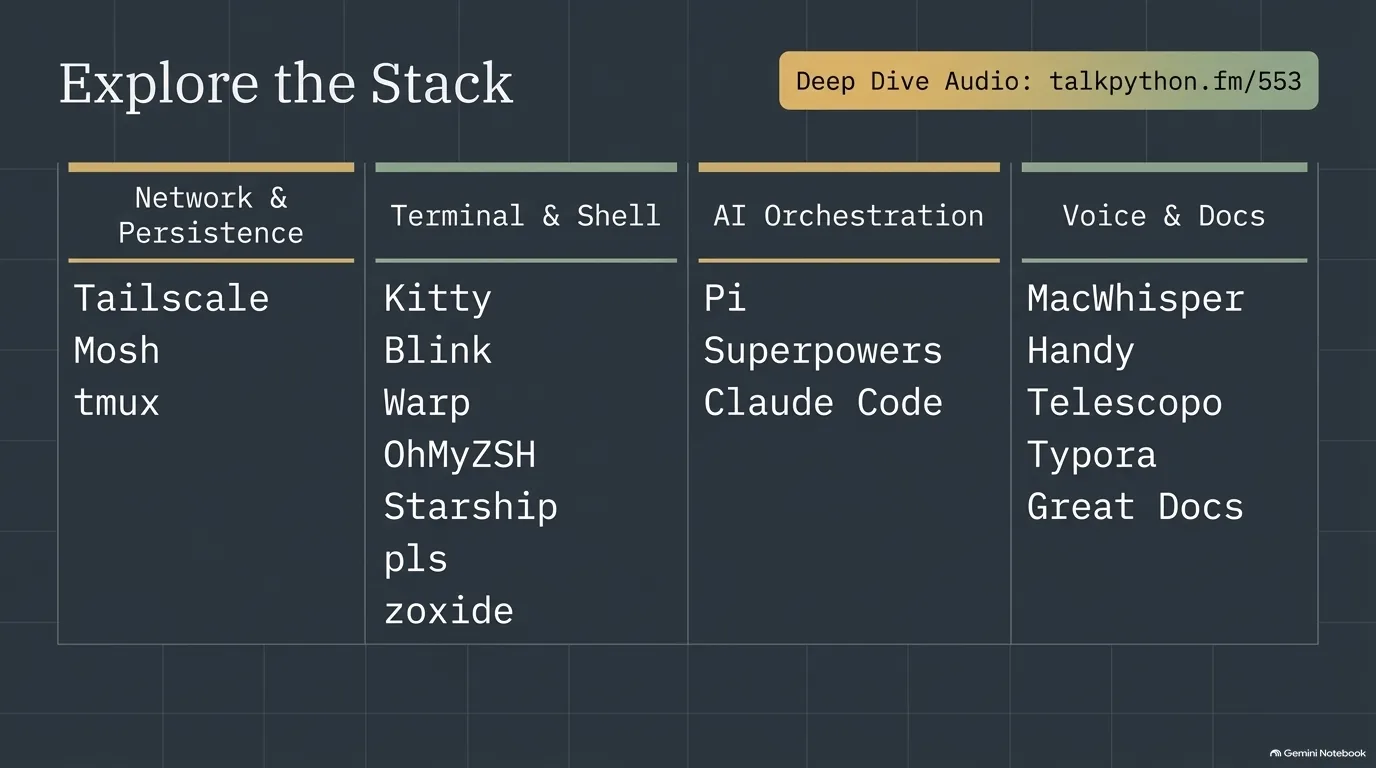
That's a lot of tools for one conversation, and it ran long for a simple reason. Here they are by category, with where to read more:
- Network and persistence: Tailscale, plus Mosh and tmux.
- Terminal and shell: Warp, Kitty and Blink, plus Oh My Zsh, Starship, pls and zoxide.
- AI coding: Superpowers, plus Pi and Claude Code.
- Voice and docs: MacWhisper and Handy, plus Telescopo, Typora and Great Docs.
Where do you start? Michael Kennedy's advice from the terminal discussion applies to all of it: you don't have to pick what they picked. Look around, because the defaults are usually not good.
One way to look around is to start with whatever annoys you most. If your SSH sessions die every time you close the laptop, try Mosh. If your prompt can't tell you which virtual environment is active, try a better prompt. If your wrists hurt by the end of the day, try dictation.
Notice, too, that the two hosts landed on different answers to the same problems. Michael reaches his home machines with Tailscale and Calvin with a Ubiquiti VPN. Michael lives in Warp and Calvin in Kitty. Michael works in Claude Code and Calvin in Pi. Both setups work. What they share is that each was chosen on purpose.
This conversation started on Python Bytes, where Michael and Calvin cover tools and tips like these every week.
“This has gone on. We get passionate about our tools.”
Calvin Hendryx-Parker