Introducing the new Talk Python web player
, 2 min readWe expect that most people who listen to Talk Python do so through their podcast player apps on their phone or even on their laptops. But there are plenty of times that people end up on an episode page and would love to have a nice experience interacting with that episode as well. One really common example: you go back to an episode you discovered several years ago, and the chances it’s still on your device are low. Though we do keep our entire back catalog available in the RSS feed, most podcast players trim down what they keep locally.
That’s why I’m happy to announce that we have refreshed our web-based playback experience:
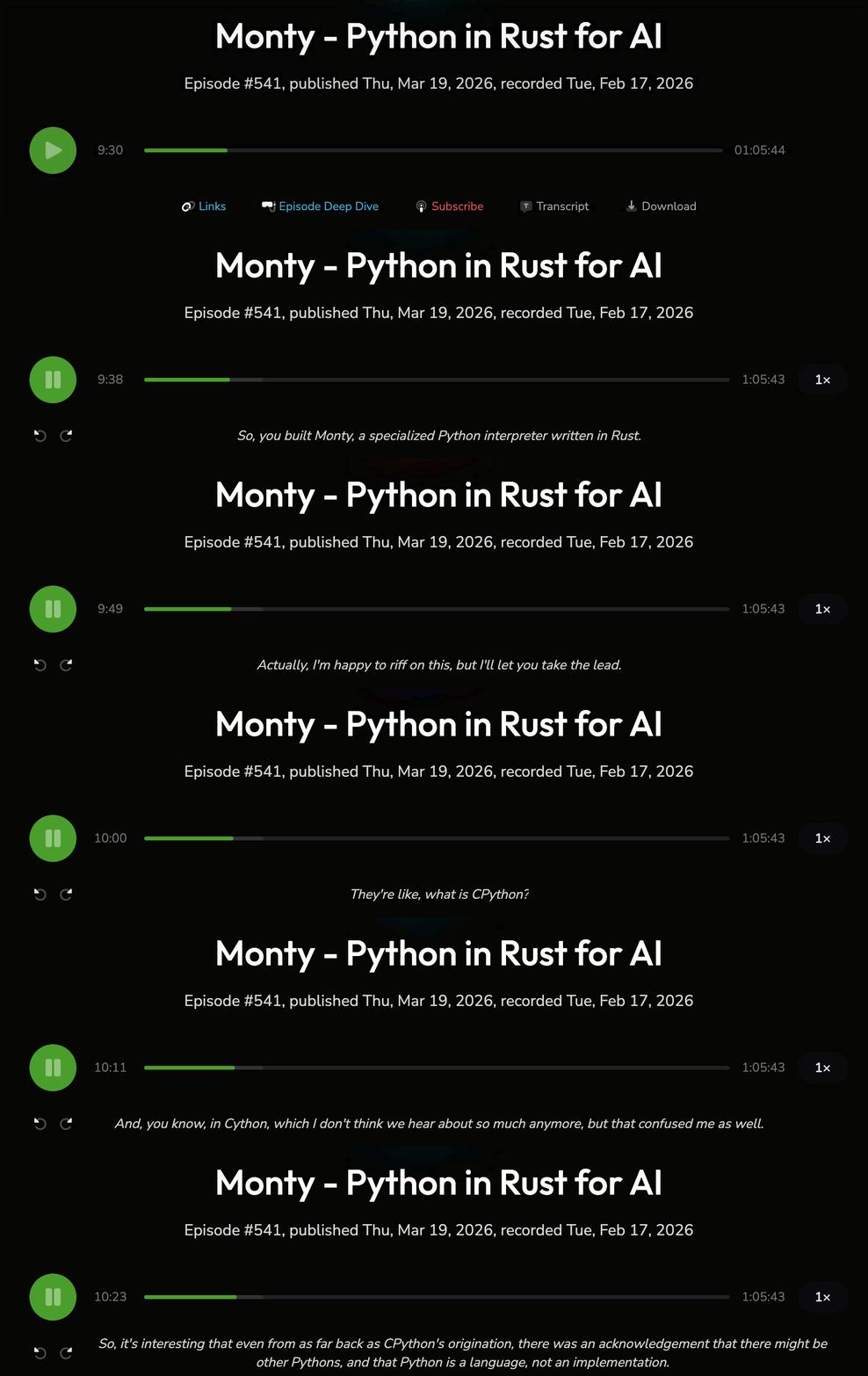
Our new player can be found on every episode page, for example Self hosting apps for Python people. It starts out minimal, but once you trigger it by pressing play, hitting the spacebar, or clicking a timestamp in the transcript, it comes to life.
As you can see from the animated GIF, you can change the playback speed, and it remembers your position so when you return to the page it resumes where you left off. Probably most significantly, it shows the transcript live below the player so you don’t miss a word.
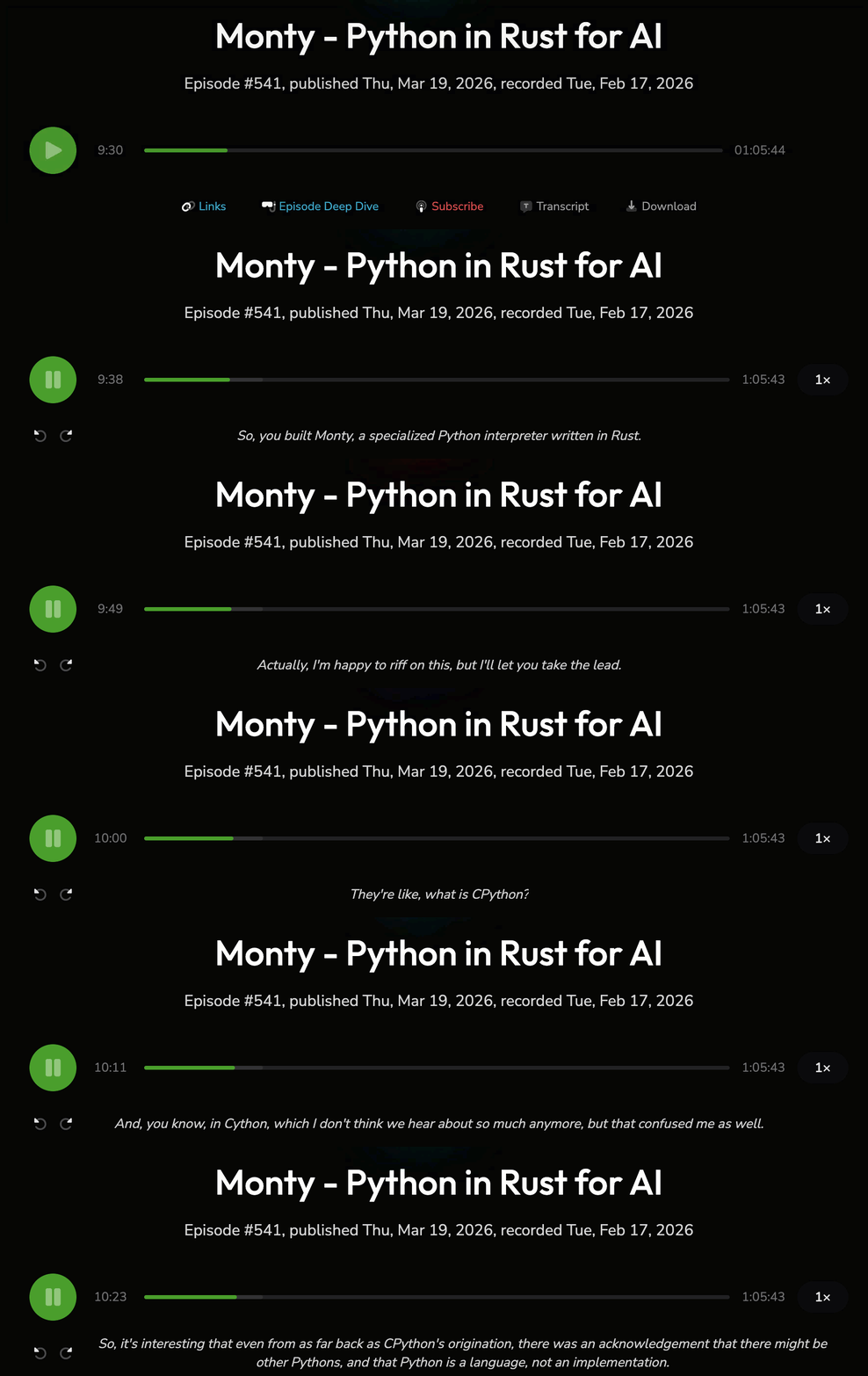
Give the new player a try
Check it out for yourself. I hope it’s a nice addition to the podcast experience.
Listen to our latest episode on the web: Self hosting apps for Python people with Alex Kretzschmar